
How to Book an Ontario Provincial Park Campsite – An Ultimate Guide
Are you new to camping at Ontario Provincial Parks? Looking for a crash course on how to book an Ontario Provincial Park campsite efficiently?
You have come to the right place! John and I have been camping mainly in Ontario Provincial Parks for the last 5 years (the last 3 with our Teardrop Trailer “Nellie”).
We love Ontario Provincial Parks. They are beautiful, have a variety of landscapes from dunes to lush forests and gorgeous lakes, and are the perfect Nature Lover’s getaway.
They can also be stressful to book and require plenty of advanced planning.
Ready to learn everything there is to know about how to book an Ontario Provincial Park campsite (and more)?
Let’s get started!
When to Book Your Campsite
The first thing that I want to cover is deciding on the dates of your camping trip.
Knowing when you want to camp as early as possible is necessary for the best chances of securing the campsites that you really want.
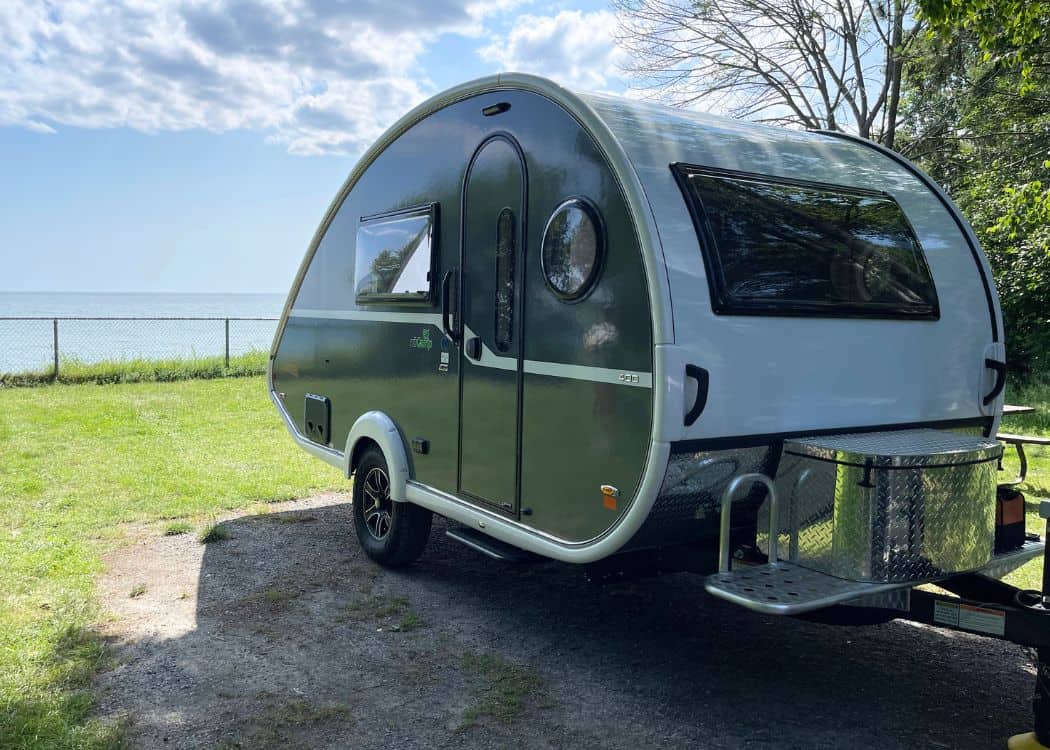
Peak vs. Off-Peak Camping Seasons
Let me set the expectations here – competition for booking a campsite during the peak season (July/August) can be really fierce.
This is when most families take their vacations as the kids are out of school, the weather is at its warmest, and people are looking to take full advantage of everything that the Provincial Parks have to offer.
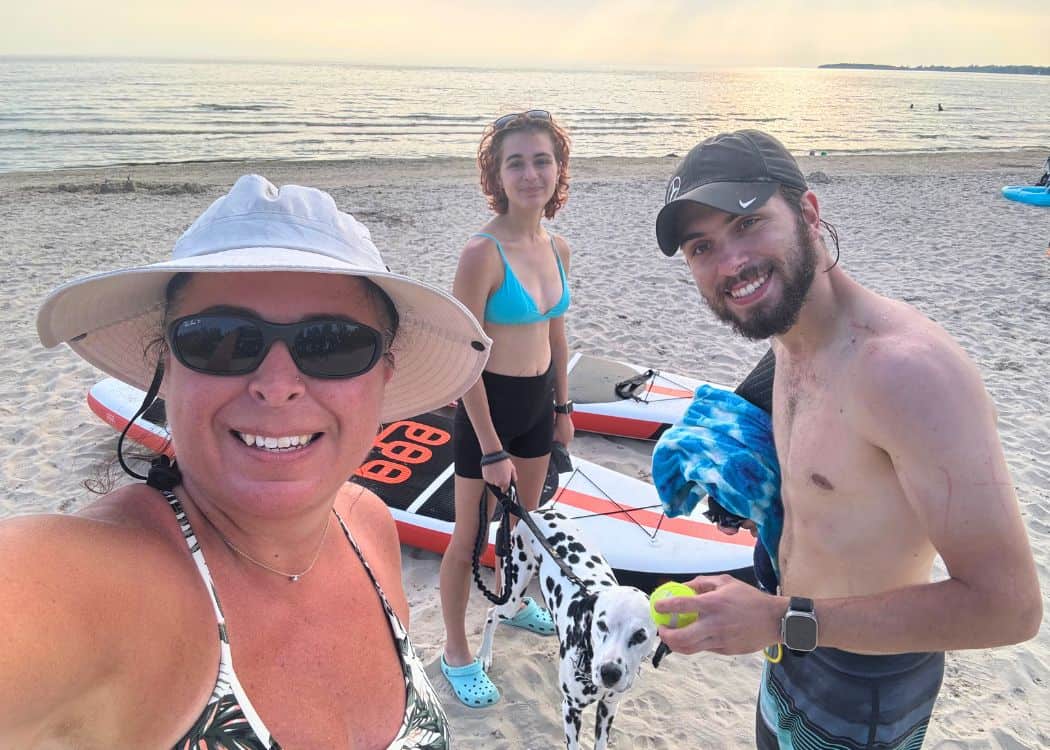
If you are willing to camp in the shoulder seasons (April/May/June or September/October), you will definitely have a better chance of securing spots at the popular parks.
Now that we have a trailer, John and I usually camp from May to November.
We actually really love the fall camping as there are fewer people, not as many bugs, and it’s often still warm enough to head to the beach.
The Booking Window
With Ontario Provincial Parks, the booking window for any campsite or roofed accommodation opens 5 months (to the date) in advance.
So if you want to camp on May 15th, for example, bookings for that date will open on December 15th. You can book anytime after that date.
This is REALLY important to note! Write it in your calendar, set an alarm on your phone, but don’t forget!!
Many of the popular campgrounds will be almost fully booked up by the end of that opening date!
Trust me. I have forgotten to book on a few occasions and have had to either make arrangements to camp in another park or change my dates.
🌳 Insider Tip: Ontario’s most popular Provincial Parks are – Algonquin Provincial Park, Killbear Provincial Park, Pinery Provincial Park, Sandbanks Provincial Park, and Bon Echo Provincial Park.
Key Dates and Times
So along with knowing the date you need to book your campsite (5 months in advance), you will also need to make note of the time when the booking window opens.
Ontario Provincial Parks open their booking times at 7 am EST every morning. Yup, bright and early!
This means that at 7 am, on the dot, you need to have your screen open to the booking page, your campsite chosen, and your finger better be hovering over the register button!
Think I’m exaggerating?? I’M NOT!
Even with that amount of commitment and preparation, I have STILL lost out on many sites and have needed to scramble to plan B, C, D, and more.
🌳 Insider Tip: If you are booking multiple days at the same campsite, your opening window will be 5 months from the first day only. You will not need to book each day separately.
How to Use Ontario Parks Reservation Website
Using the Ontario Parks reservation system is pretty easy, once you get the hang of it.
Creating Your Ontario Parks Account
Before you can start booking campsites on the Ontario Provincial Park website, you will need to create an account.
The account will keep track of your bookings, both past and present, your receipts, and your preferences (ie vehicle licence plate, trailer length).
This is handy if you would like to try and book the same campsite again, or if you have forgotten which park you are camping in on a given day.
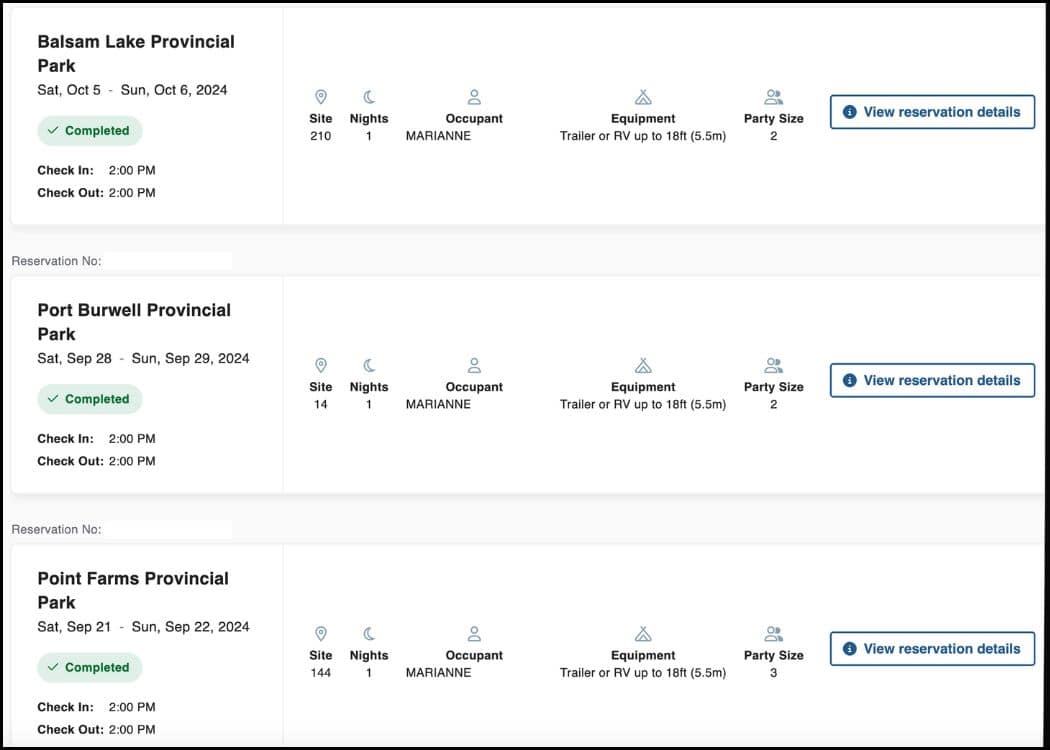
🌳 Insider Tip: I would definitely recommend creating your account BEFORE booking your first campsite. Because items are only held in your cart for 15 minutes, you may lose your booking if it takes you too long to create your account.
The website is pretty easy to navigate when creating your account. But just in case, here is a step-by-step guide:
➡️ Step 1: Visit the Ontario Parks Website
Go to https://www.ontarioparks.ca/en.
➡️ Step 2: Click “Sign Up” or “Create an Account”
Find and select the “Sign Up” button in the top menu.
➡️ Step 3: Enter Your Personal Information
- Name and address
- Email address (used for confirmations and updates)
- Phone number
➡️ Step 4: Set Your Login Credentials
Choose a username (or use your email address). Then, be sure to create a strong password.

➡️ Step 5: Provide Additional Details (Optional but Recommended)
- Vehicle information (license plate, make/model).
- Camping preferences or special needs.
➡️ Step 6: Review and Accept Terms
Read and agree to Ontario Parks’ terms of use and privacy policies.
➡️ Step 7: Confirm Your Registration
As a final step, you will need to click the confirmation link sent to your email (if required). Then, log in to verify your account is active.
Now, you are all set to start booking those campsites!
Finding a Campsite
Once you have created your account, it’s time to start exploring your options.
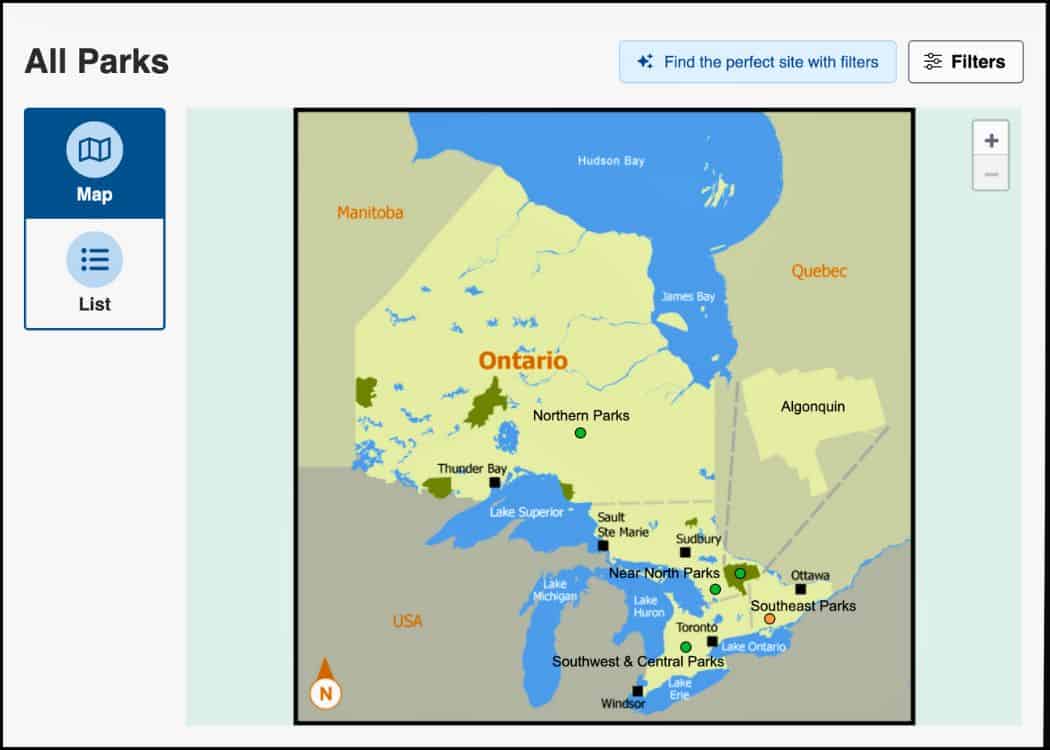
We like to start by looking at the map of Ontario Parks, broken down into areas (Northern Parks, Near North Parks, Southwest & Central Parks, Southeast Parks, and Algonquin).
To do this, you will need to search “All Parks” along with your dates. Then hit search.
The map will pop up. You can then decide on where in Ontario you would like to visit, and which park specifically.
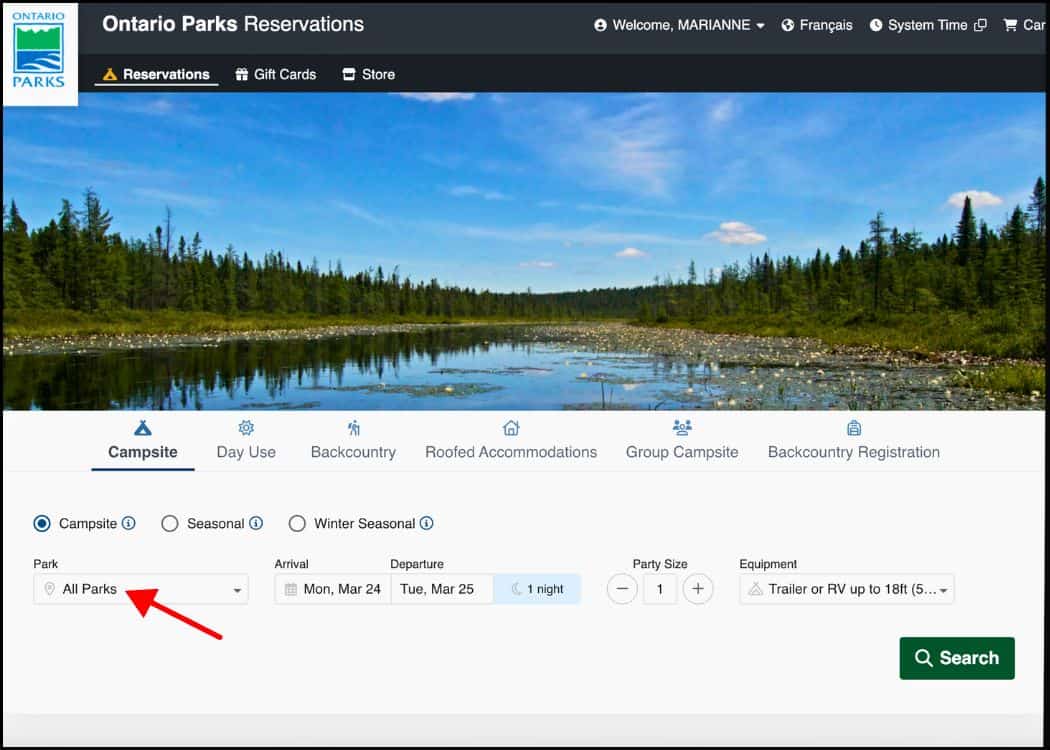
If you already know which park you want to visit, search for it in the “Park” drop-down menu.
At this time, you will need to enter your dates, how many people will be camping (you can amend this later), and the type of camper you are (tent or trailer).
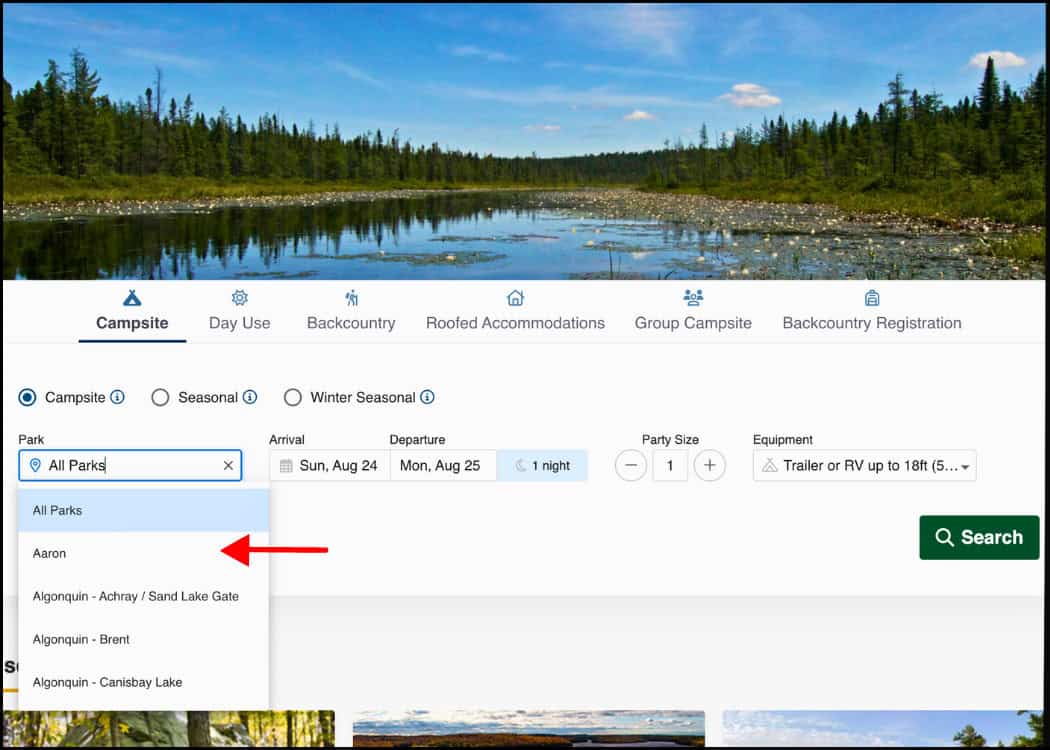
You can also choose what kind of camping you would like to do – Campsite, Backcountry, Roofed Accommodations, or Group Campsite.
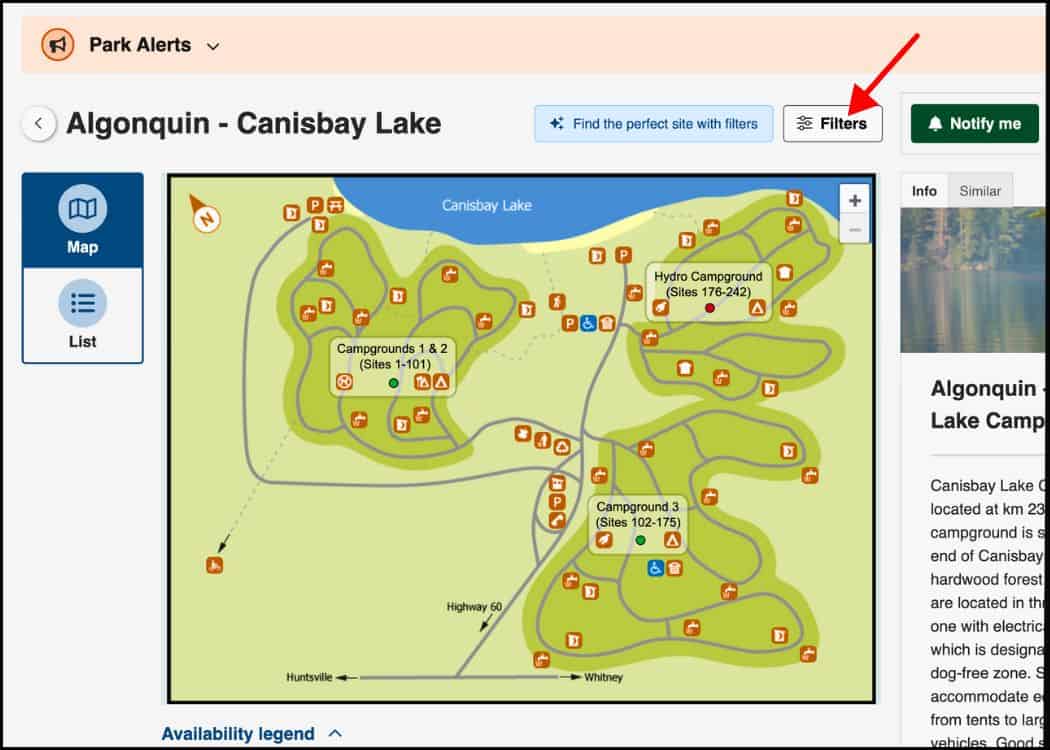
Lastly, you can choose to add filters to your search. I don’t normally do this (except to filter for Electric Sites), so the settings remain at their default of “No Preference.”
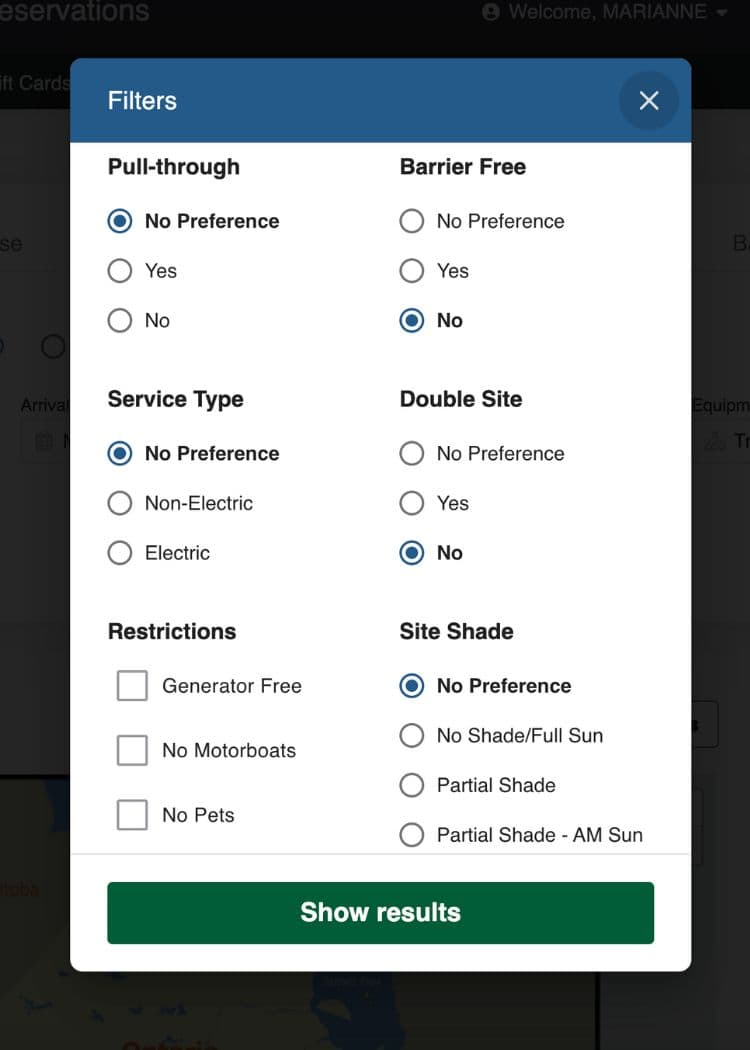
🌳 Insider Tip: At certain parks, the maximum length of stay is either 7 or 14 nights for campsites booked between July 1 and the Saturday of the Labour Day long weekend. Outside of these dates, the maximum stay is 23 nights.
Booking and Payment Process
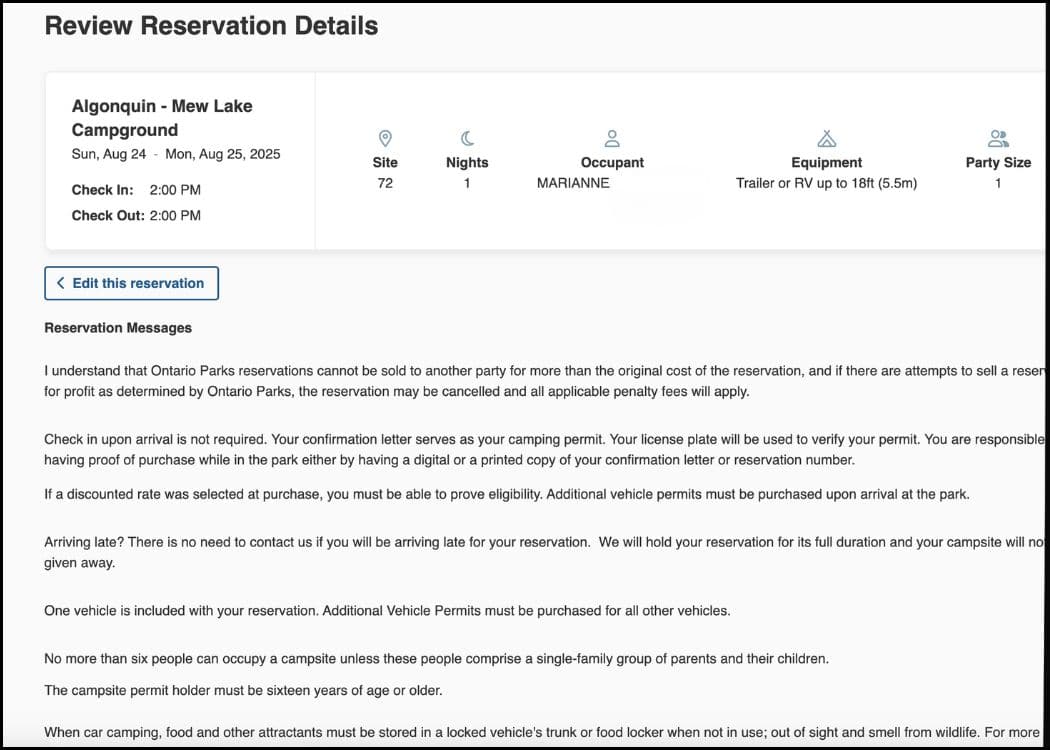
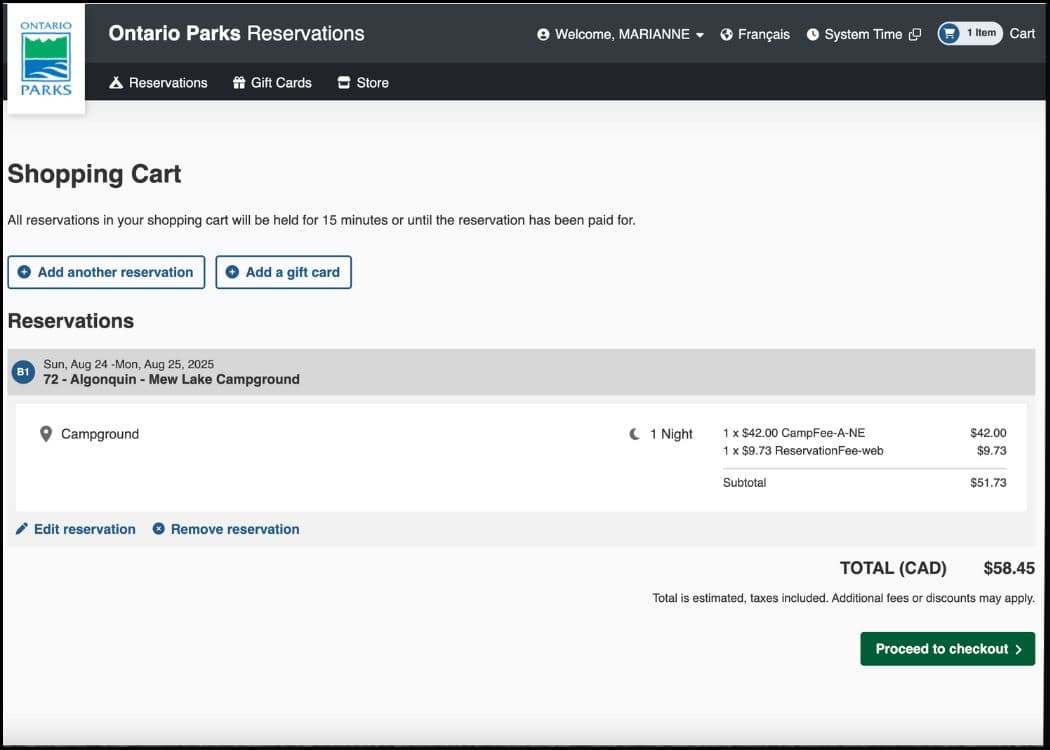
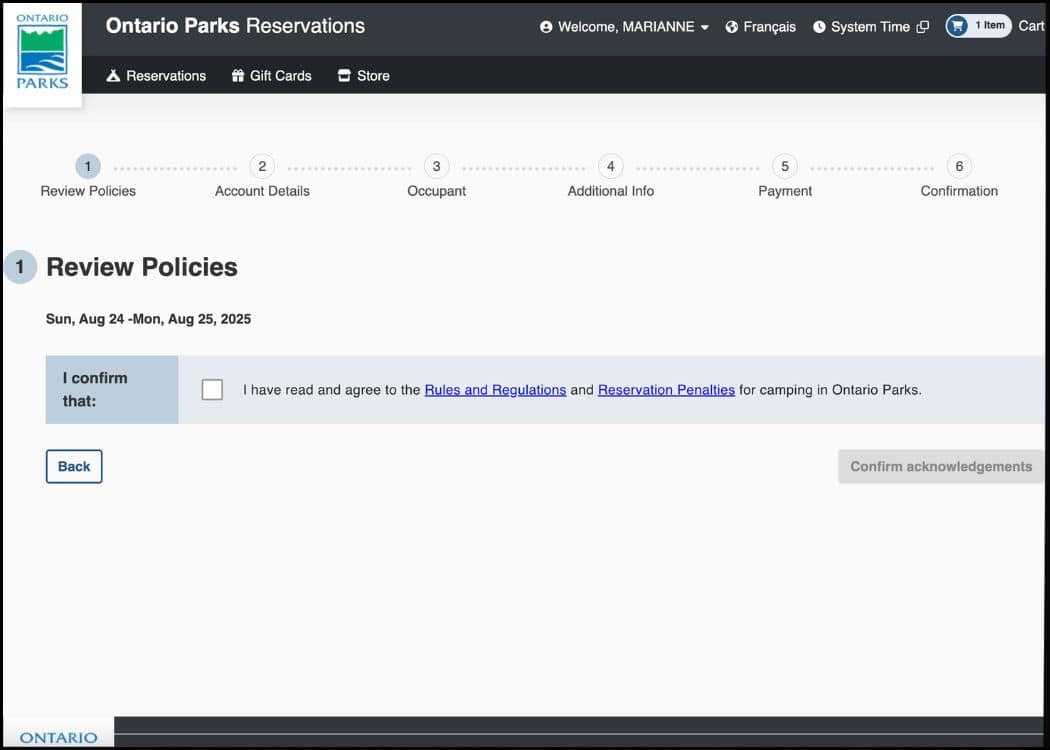
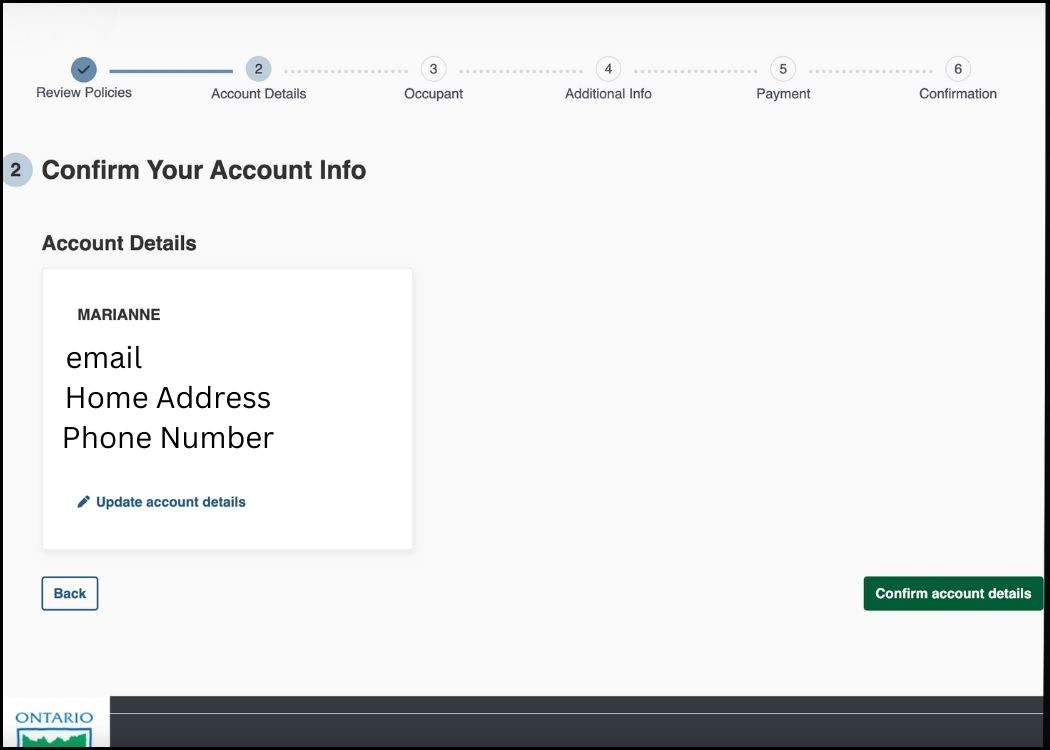
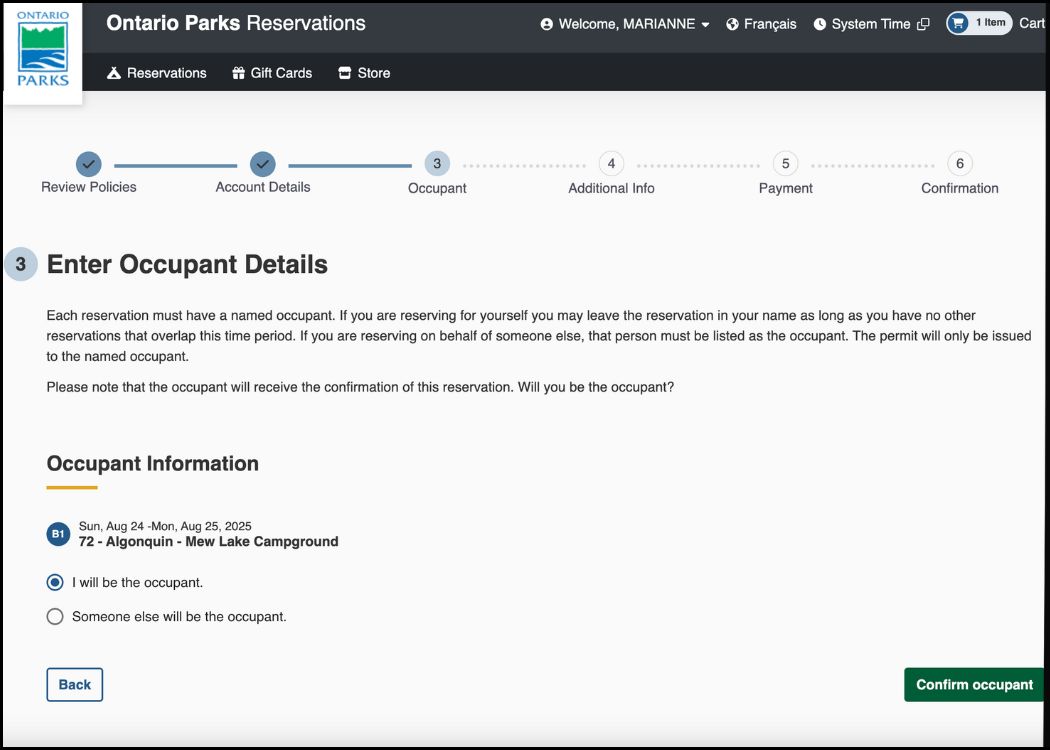
Once you select your site and you hit the “Reserve” button, you will be taken through the booking process.
I have included screenshots of the entire process below. The last screen (which I have not included) will be your “Successful Booking” screen.
I have removed my info for obvious reasons.
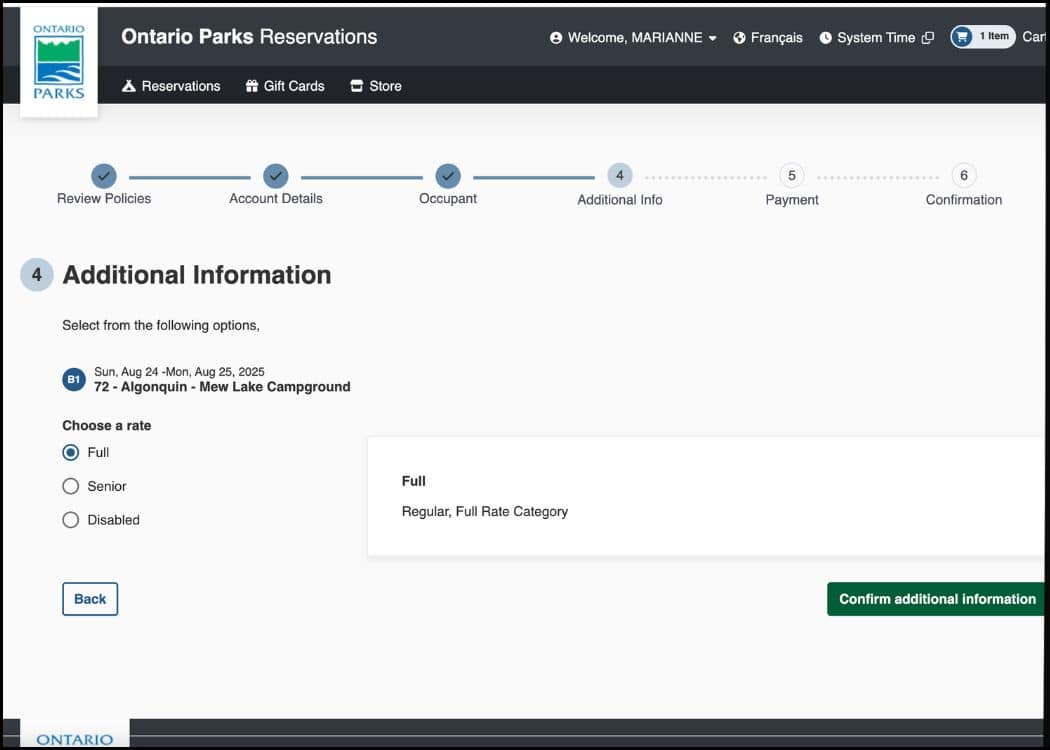
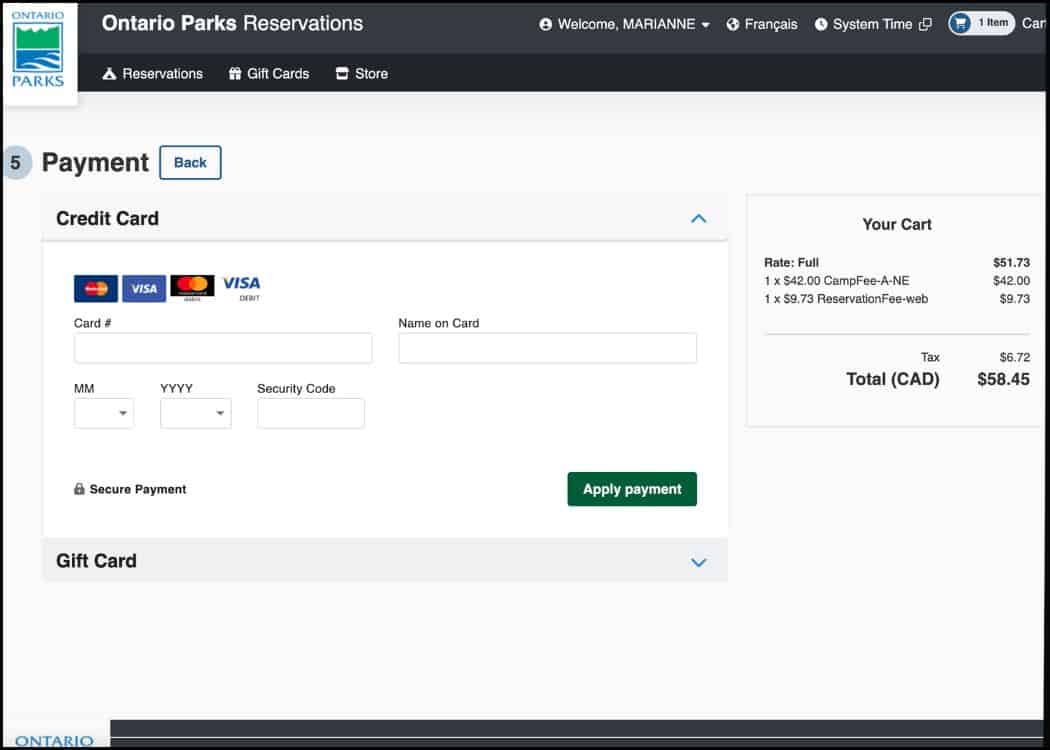
Understanding Campsite Details and Amenities
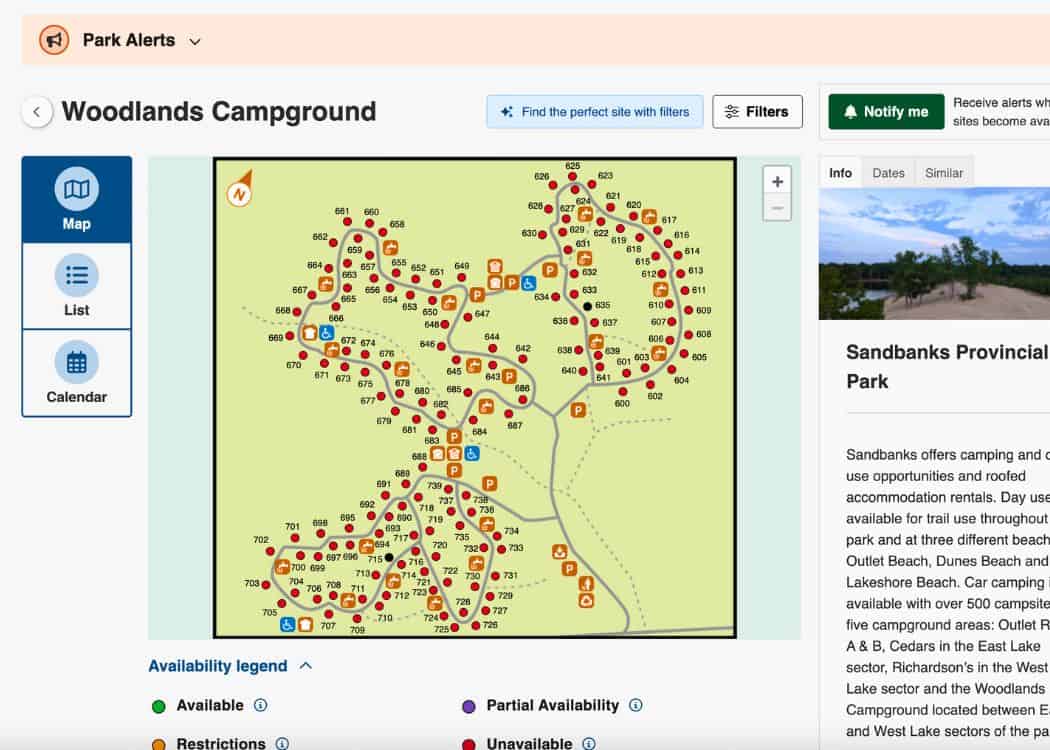
Figuring out what all the symbols on the campsite maps mean, is pretty easy. It’s also helpful to know what kind of camping accommodations exist in each park.
Checking Amenities
Once you have selected a park, take a look below the map. You will find a Legend that will tell you what all the symbols on the campground map mean.
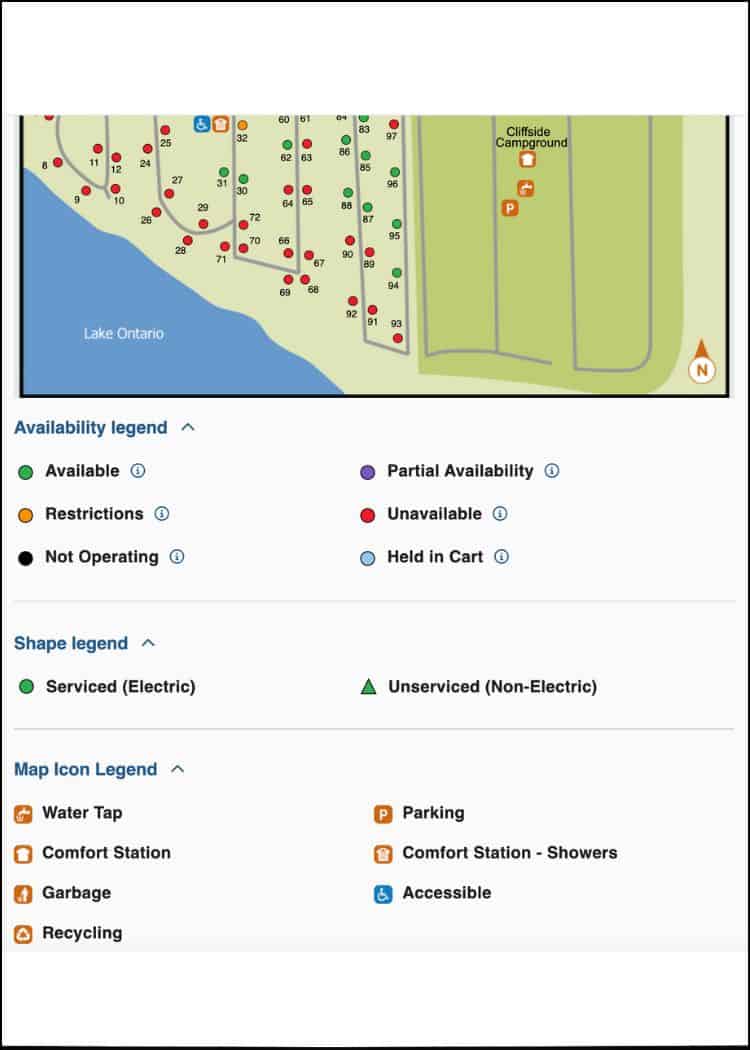
The map will show you which sites are available, which are electric or non-electric sites, and what amenities, like beaches, bathrooms, hiking trails, etc, are nearby.
For example, we do not like to be directly adjacent to vault toilets or comfort stations.
As “Nellie” has a full bathroom, we do not need these facilities (or like the noise of people heading to use the washroom all night).
So we can see where these facilities appear on the map, and book accordingly.
Another way to check for the availability of certain sites is to utilize the Map feature. On the park registration page, go to the Calendar button at the top left of the page.
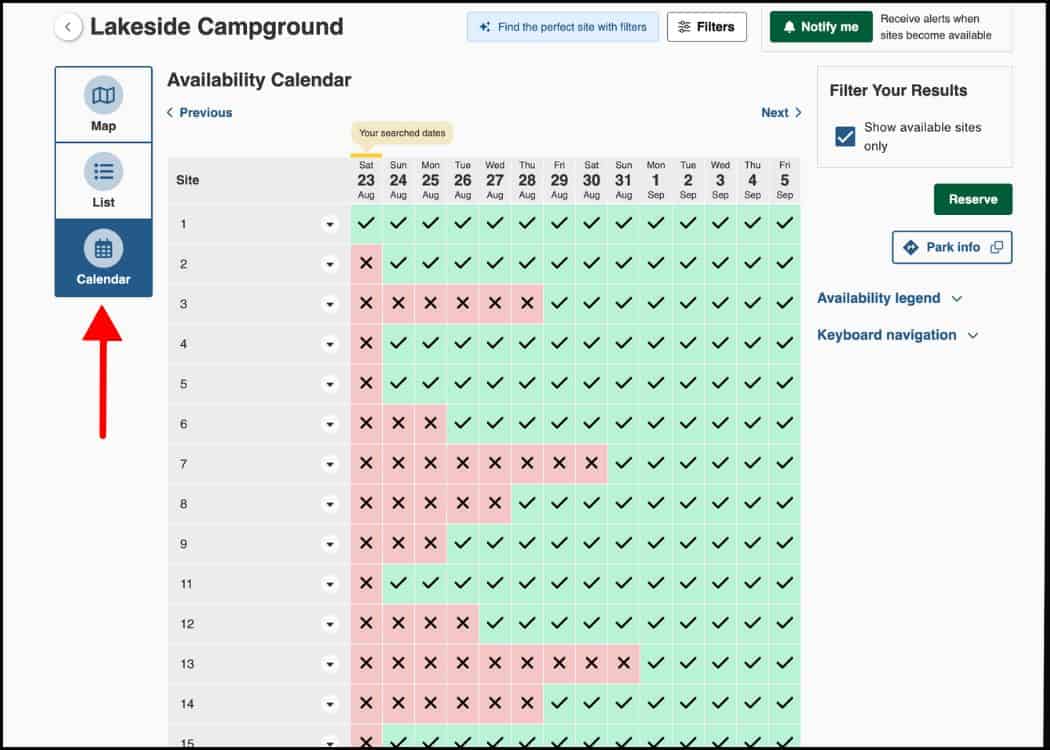
This will open up a scrollable page where you can fill in dates to see which sites are available.
You can also just follow a particular site to find out what dates it is available.
Roofed Accommodations
If you are looking for more of a “Glamping” rather than “Camping” experience, many Ontario Parks have a great option.
Many parks have either Yurts or small cottages available to rent. They will show up in the Legend as a house shape rather than a circle.
Yurts are heated, soft-sided, tent-like structures offering amenities like bunk beds, a table, chairs, and an outdoor deck with a barbecue.

An Ontario Parks cottage is a fully furnished roofed accommodation, offering amenities like a kitchen, dining area, and sometimes a gas fireplace or outdoor fire pit.
Keep in mind that these roofed accommodations cost considerably more than a campsite.
Group Camping Sites
Group campsites are perfect for when you are camping in large numbers (like a family reunion or Boy Scout group).
Most Ontario Parks can accommodate group camping for groups of roughly between 15 and 50 people.
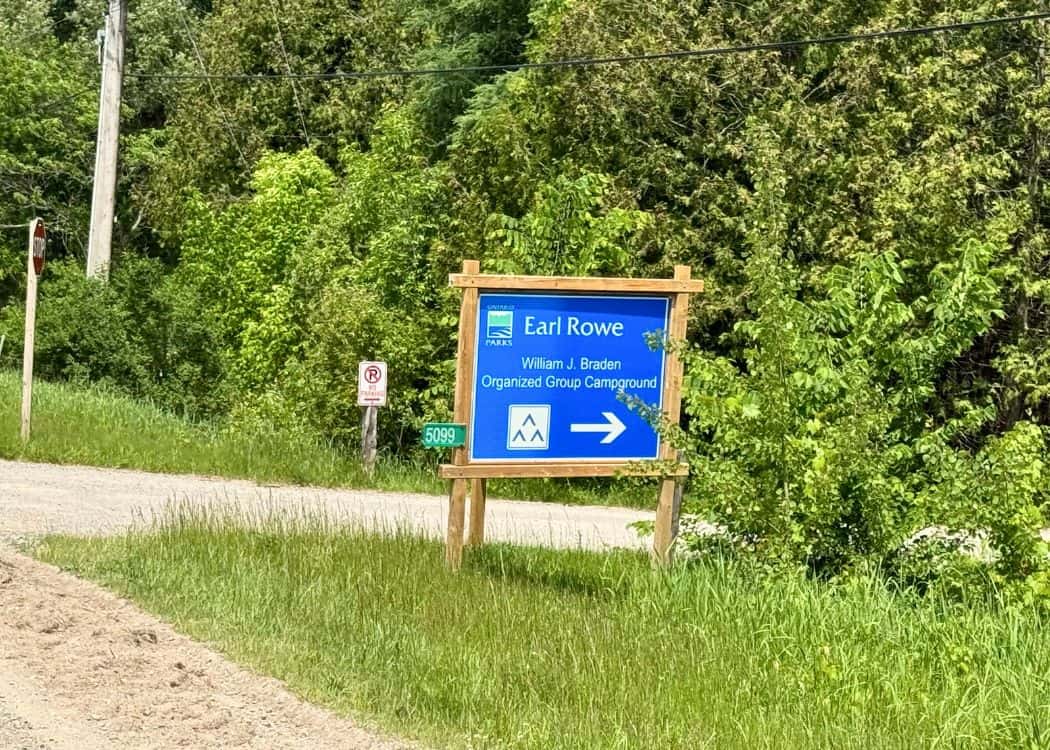
These sites usually have a fire pit and picnic tables and are near vault toilets. Most, however, will not allow trailers of any kind.
Group camping sites need to be booked in advance.
Backcountry Campsites
Backcountry campsites are for those who want a more rugged experience.
Also known as interior camping, it’s a style of camping where you leave your car behind at a trailhead or access point.
You then travel to your campsite by hiking, paddling, or portaging.
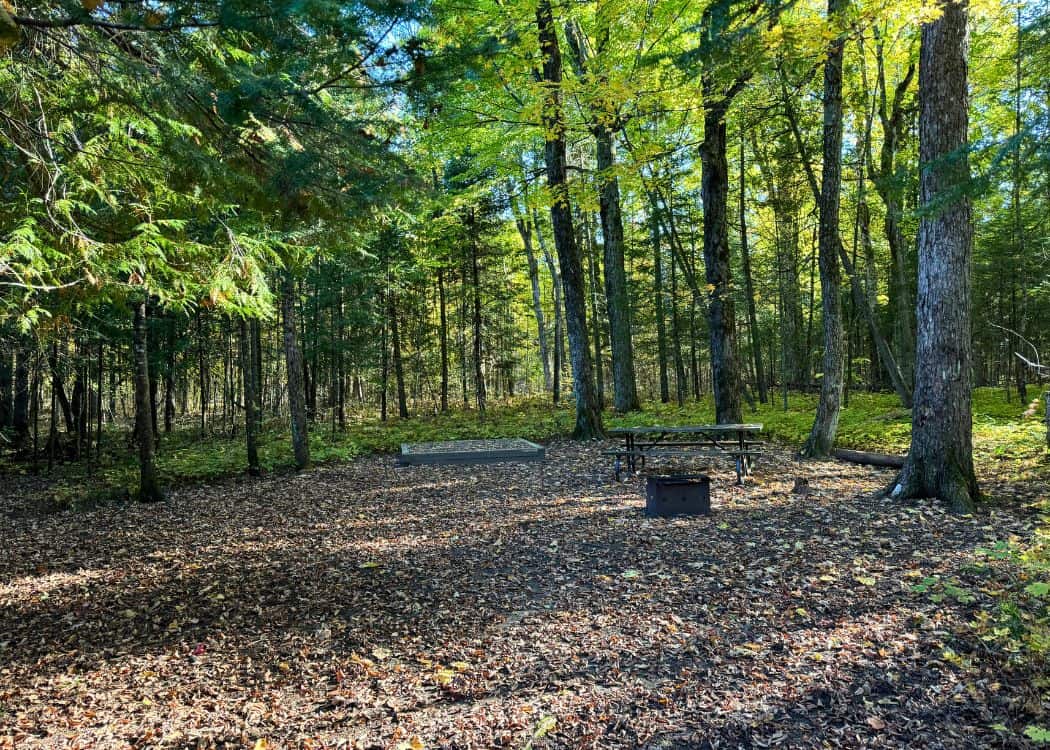
Most backcountry campsites will have very few amenities nearby. That means you will need to carry your own food, water, gas stove, and camping equipment.
Some parks, however, do offer some amenities at their backcountry sites. Things like tent platforms, fire pits and vault toilets may be offered.
We have also seen walk-in sites that are near comfort stations.
How to Read Campsite Descriptions
This is something that I wish someone would have explained to me when I first started booking campsites through the Ontario Parks system.
Once you have chosen a park and selected the perfect campsite, you can actually get more information about the site than what you see on the map.
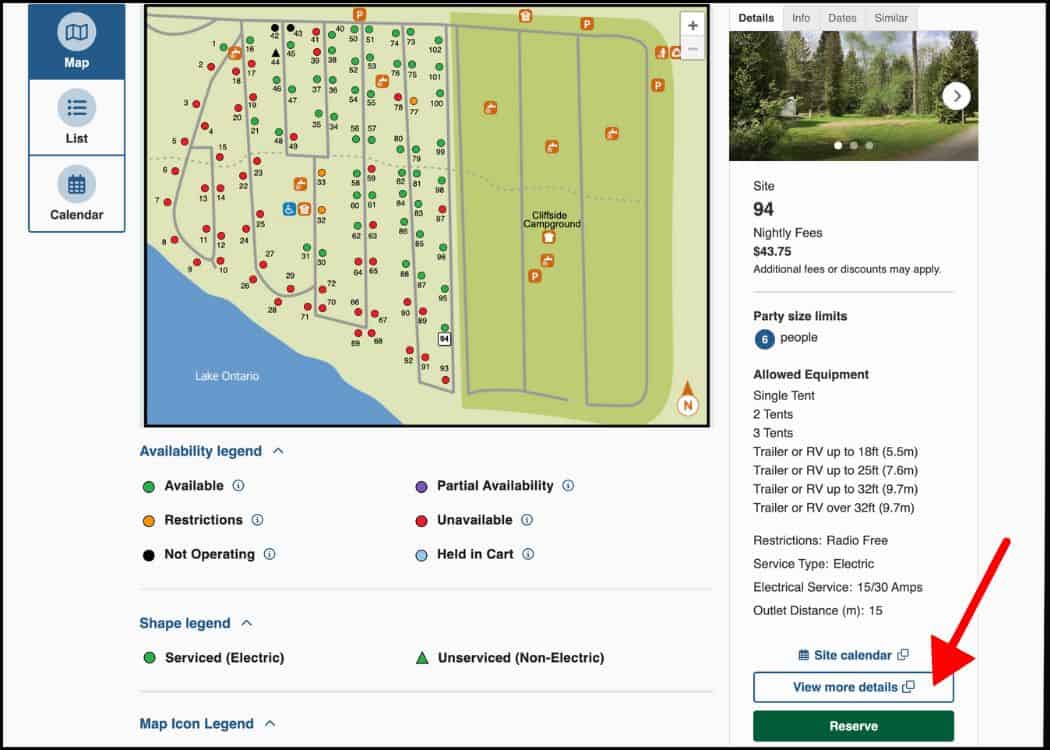
Go to the right side of the screen, near the bottom, you will see a button that says “View More Details.”
This will take you to a screen that will tell you everything that you need to know about that particular site.
It will give you details that may help you to decide if this is the site for you. Some things it will tell you include:
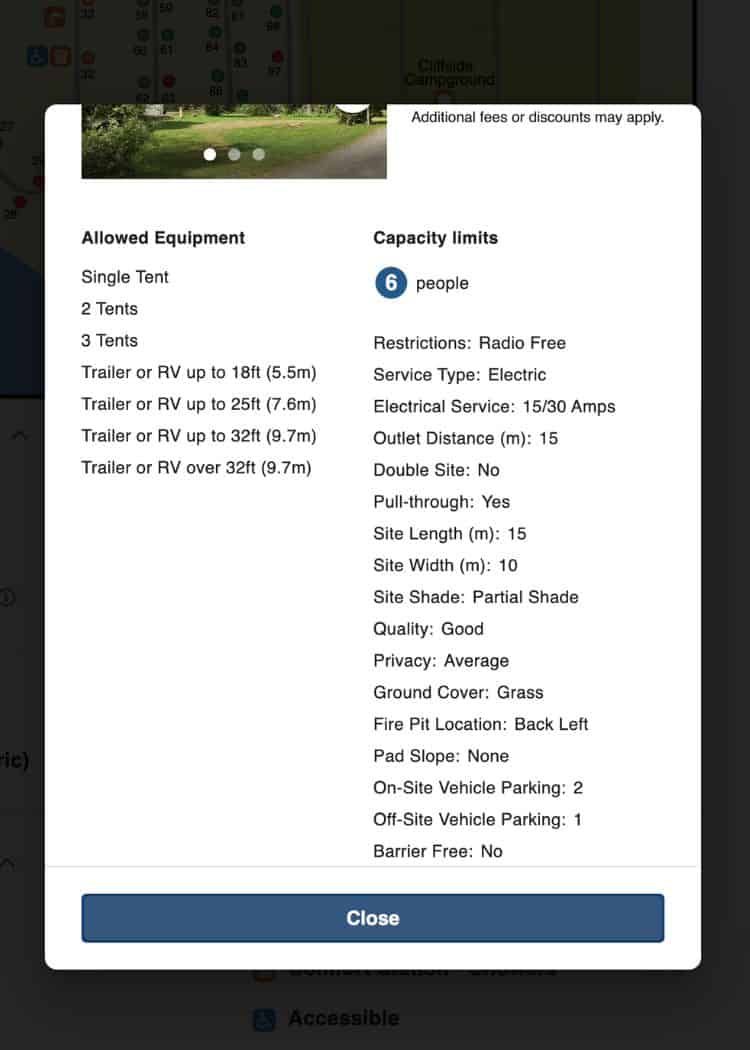
- Restrictions – Is this site in a radio-free or pet-free area?
- Service Type – Electric, non-electric, water.
- Electrical Service – How many Amps of electricity does this site provide (ie 15/30)?
- Outlet Distance – How far the electrical post is in metres so you can gauge how long your electric cord needs to be.
- Pull-through – This site is a pull-through. Will not be listed if the site is not.
- Site Length and Width (m) – gives you an idea of how big the campsite is.
- Site Shade – How much sun does this site get – partial shade, full shade, full sun, evening sun, etc?
- Quality – How good of a site is this (Good, Poor, Noisy, Prone to Flooding)?
- Privacy – How much privacy does this site get (Good, Poor, Above average foot traffic)?
- Ground Cover – What kind of ground cover can you expect (grass, soil, gravel, sand)?
- Obstructions – Is there anything that might make it difficult to get into your site or prevent you from putting up tents in certain main areas (Trees, stumps)
- Dogs Allowed – Are pets allowed (usually stated only if they are not allowed)?
- Fire Pit Location – Where your fire pit can be found on the site.
- Adjacent To – Is this site adjacent to anything (body of water, vault toilet, water tap)?
- Pad Slope – What kind of slope is there where you will be parking your RV (none, slight, moderate)?
- On-Site Vehicle Parking – How many vehicles can be parked on this site (1, 2, none)?
- Off-Site Vehicle Parking – Does this site allow for an additional vehicle to be parked in the overflow parking (yes or no)?
- Barrier Free – Is this site barrier-free?
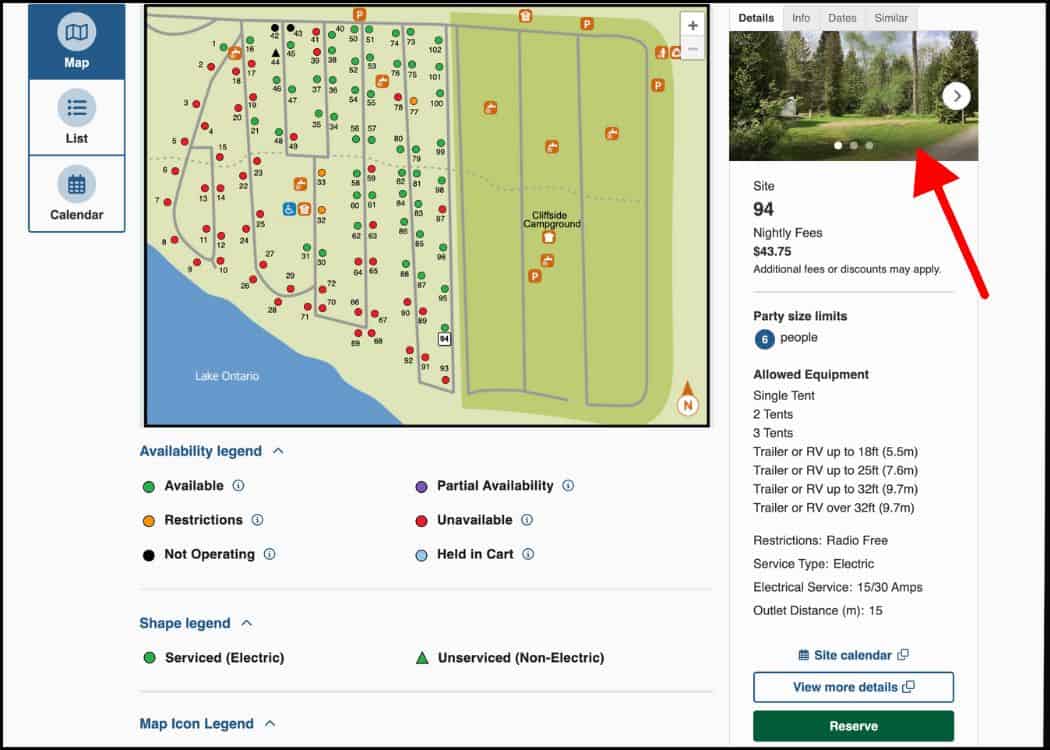
Don’t forget to take a peek at the photos to see what your site looks like! Some of the photos aren’t great, but at least it will give you a clue as to what to expect.
Lastly, you can also get additional information about the park and the various campgrounds by looking at the description on the far right of the page.
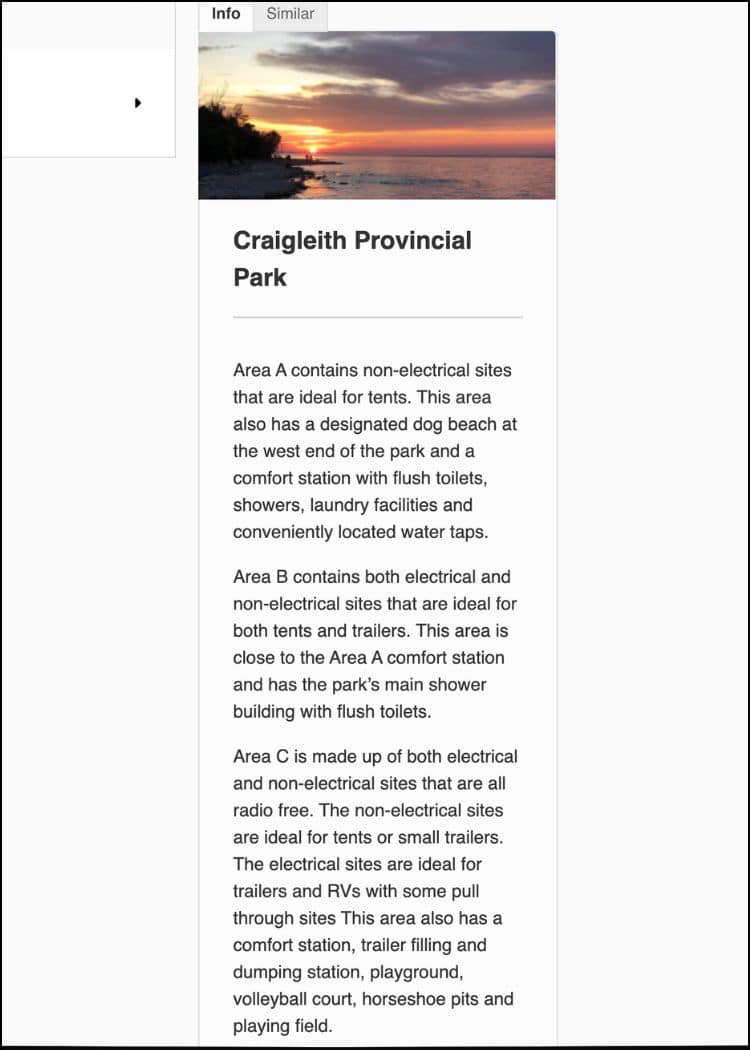
We have found some important information about amenities like beaches or hiking trails listed in this section.
Tips for Booking Popular Parks
While scoring an awesome campsite at a popular park during the high season often boils down to sheer luck, there are a few things that you can do to increase your chances.
Book Mid-Week or in the Shoulder Season
I get that this isn’t always an option, but it really does help. This is especially true for high-demand parks and sites (like prime waterfront sites).
Even booking your site from Thursday on for a weekend stay will increase the odds that you get a campsite in a popular park.

We have been lucky enough to score incredible campsites in popular parks in mid-September and had beach-worthy weather with smaller crowds.
That’s a win all around!
🌳 Insider Tip – A good way to plan your camping season is to book popular parks at the cusp of the shoulder seasons, and the less popular parks in high season.
Use the “Notify Me” feature
If you take a look at the bookings page for the park that you are interested in, you will notice the “Notify Me” button on the top right.
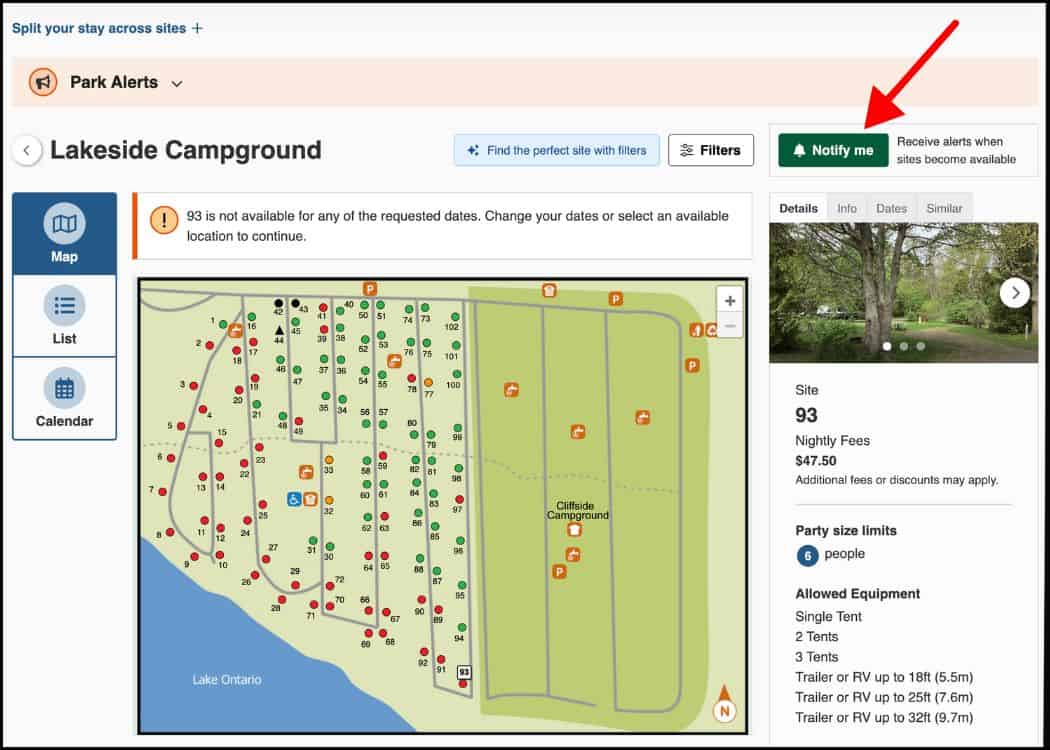
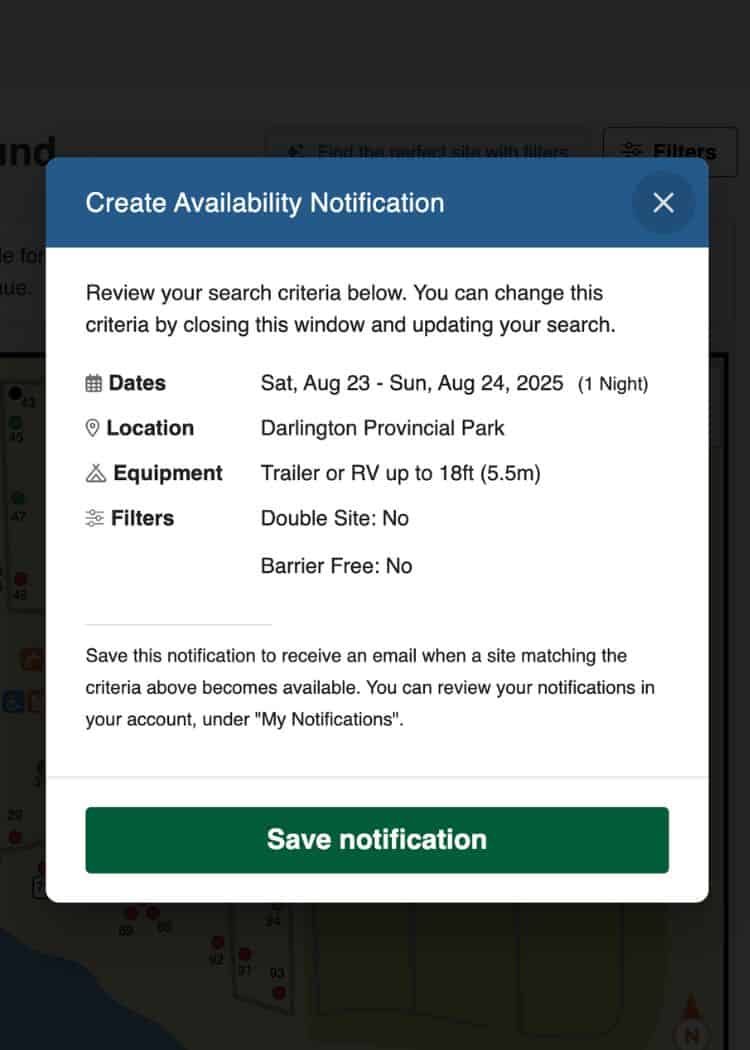
Click on it, and it will send notifications to your account, telling you when a site pops up that fits your criteria.
The criteria include info that you entered such as dates, park, trailer size, and any filters.
Ontario Parks actually get plenty of cancellation requests.
This means that you may be able to grab a site at a park that was fully booked when you tried to initially make the reservation.
Use the System Time for Accuracy
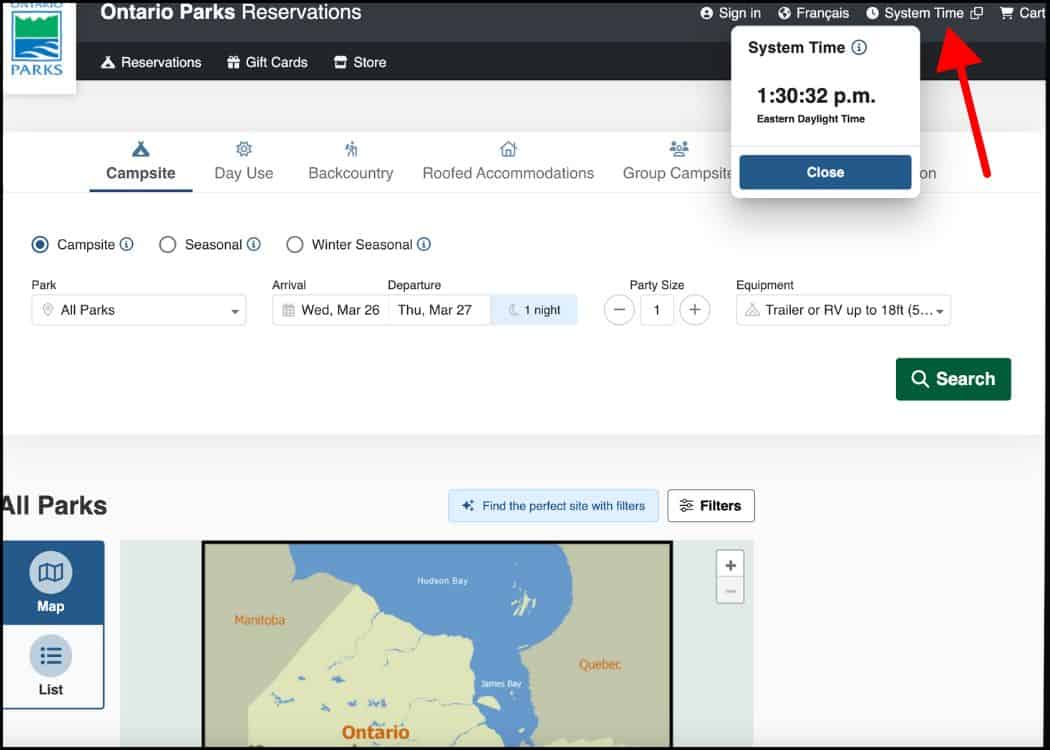
It may sound ridiculous, but making sure that your laptop or home computer’s time is in sync with the Ontario Parks website’s clock could mean the difference between you getting your 1st choice site or your 5th choice!
I always open the system clock and use it when booking my sites. This way I know the exact second when to hit that register button.
Of course, take this with a grain of salt. You still may not get the site that you want if someone else is a little quicker on the draw!
You can find the “System Time” at the top of any of the reservations pages, in the black bar next to your shopping cart.
Click on it and a box will open with the current time down to the second.
Have Plenty of Alternative Options Ready
I can’t state the importance of this enough. ALWAYS have a backup plan!
We usually make a list of sites that we would be good with at a given park. AND then we select at least 2 other parks and make a list of sites as a backup.
If you think that this is overkill, trust me it isn’t.

This year (2025) has been an exceptionally difficult year for booking campsites. I’m thinking that it’s because many Canadians are choosing not to cross the border.
That said, I have cried many tears of frustration getting up at the crack of dawn to book sites that literally disappear before my eyes, only to be left with no availability in the entire park.
True story.
Ontario Parks Fees Explained
There are a variety of different fees that you may encounter while making (or cancelling) your campsite reservations.
While some may not apply to you, we have broken them down below:
Day-use fees
If you are visiting an Ontario Provincial Park for just the day, you will need to book a Daily Vehicle Permit.
Many of the busy parks require your pass to be booked online, ahead of your arrival.
This is because many of the popular parks (Sandbanks and Pinery are good examples) actually sell out of Day-Use passes.
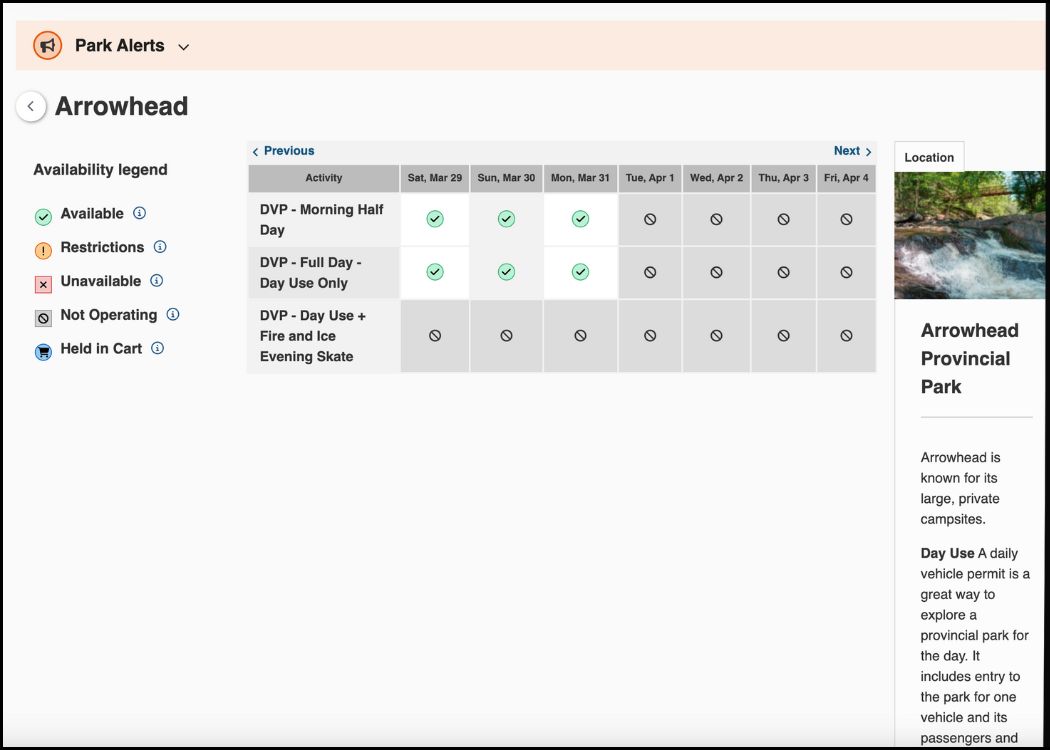
Other parks allow you to purchase your pass when you get to the park.
Daily Vehicle Permits are valid for one vehicle and can be purchased up to 5 days in advance.
You can check the various Day-Use Fees on the Ontario Parks website.
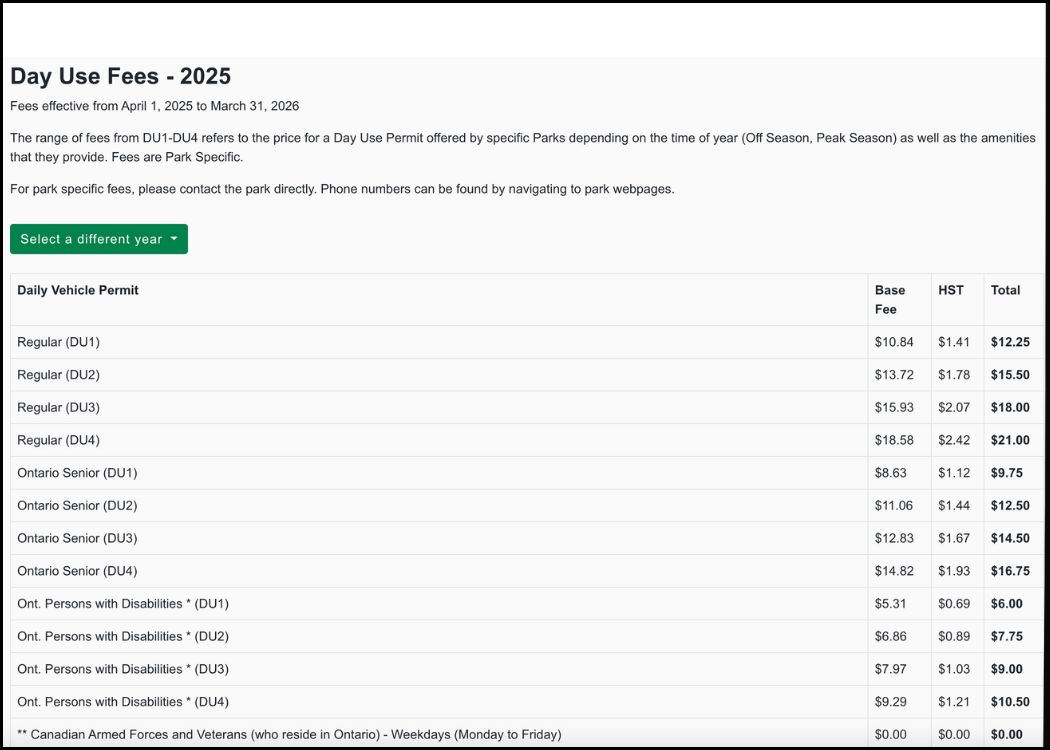
🌳 Insider Tip: You DO NOT need to book a Day-Use pass if you have a camping reservation in the same park.
Campsite fees
Because Ontario Parks offers everything from camping in organized campgrounds to wilderness campsites only accessible by canoe, they also have a multi-tiered approach to their fee structure.
Basically, the more popular the park or the more facilities and services provided, the higher the fee.
You will find four levels of fees for regular camping – AA, A, B and C. The quoted prices are with tax in:
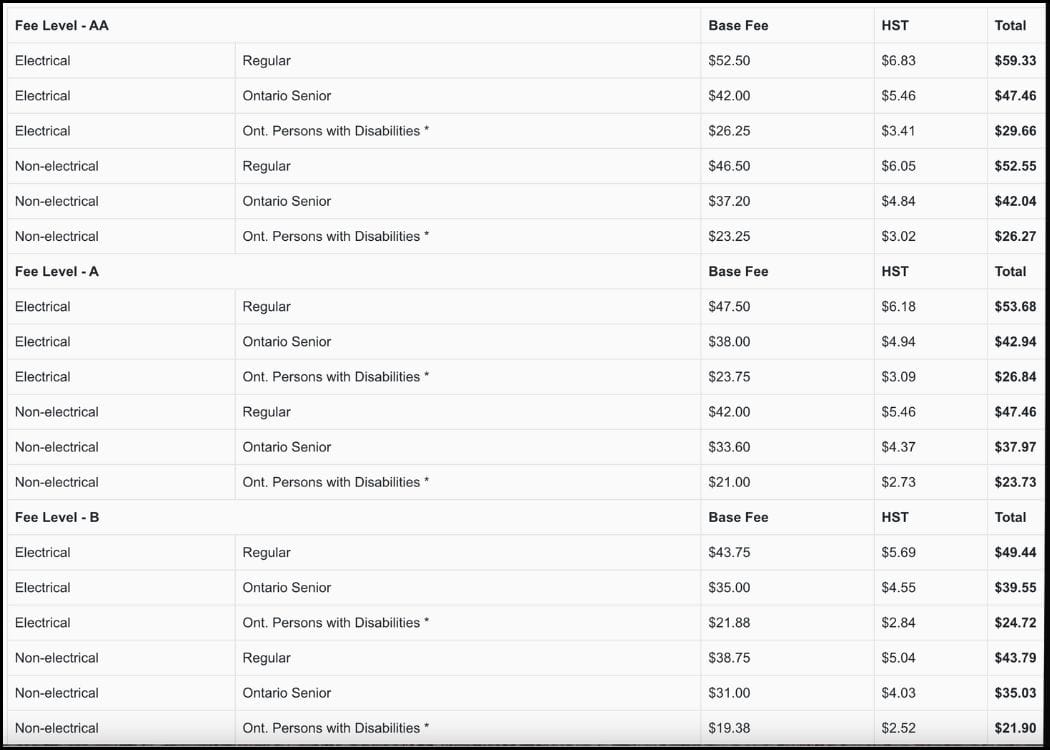
Within each of those levels, you will also find 6 sub-categories. Fun, right?
Reservation fee (non-refundable booking fee)
On top of your campsite fee, you will also be charged a reservation fee of $9.73 plus tax (Total – $11.00). This is for online bookings only.
If you choose to book your campsite over the phone, you will be charged a booking fee of $11.50 plus tax (Total – $13.00).
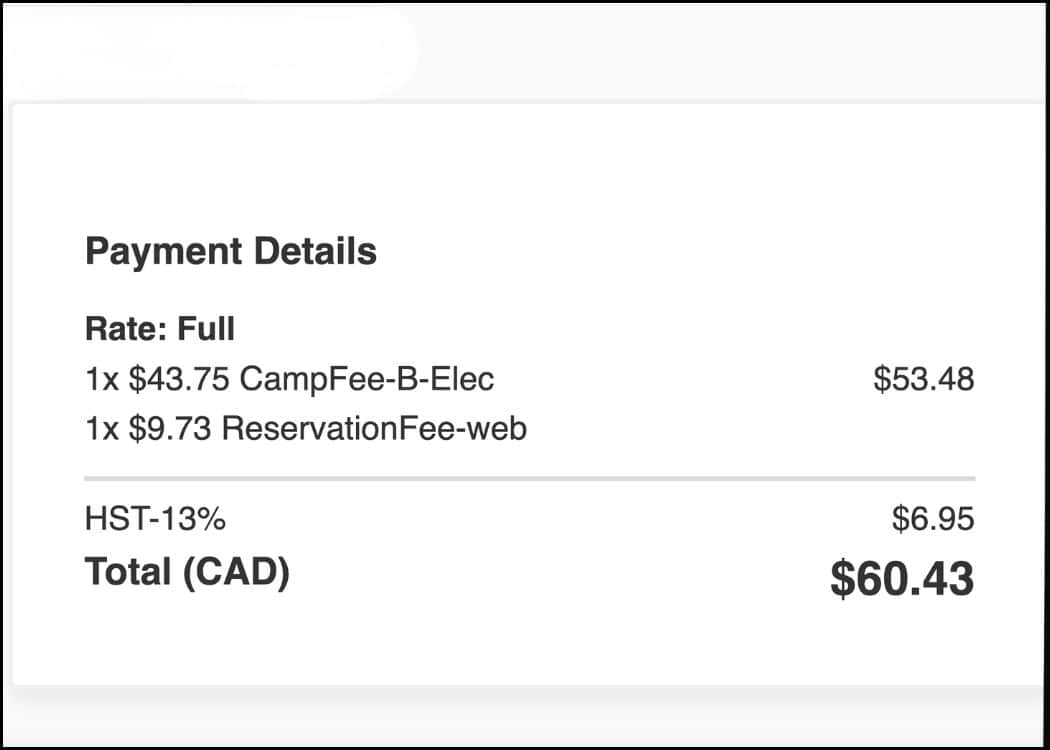
This is a non-refundable booking fee that gets charged per campsite, regardless of the type of campsite.
So even though you may book several parks at the same time, on the same receipt, you will still be charged a booking fee for each.
Cancellation or modification fees
If for some reason you need to change or cancel your camping reservation, you will be charged a cancellation or modification fee.
Modifications
Charges will apply if you make the following changes to your reservation:
However, there is no administration fee for:
Cancellations
In the case of cancellations, if you cancel or shorten your stay before noon (Eastern Time) on your arrival date, you’ll pay a penalty of 10-50% of the cost of cancelled nights.
After noon on your arrival date, you’ll pay for one night plus the percentage penalty.
The exact penalty percentage depends on how long you’ve held the reservation. See the chart below for details.
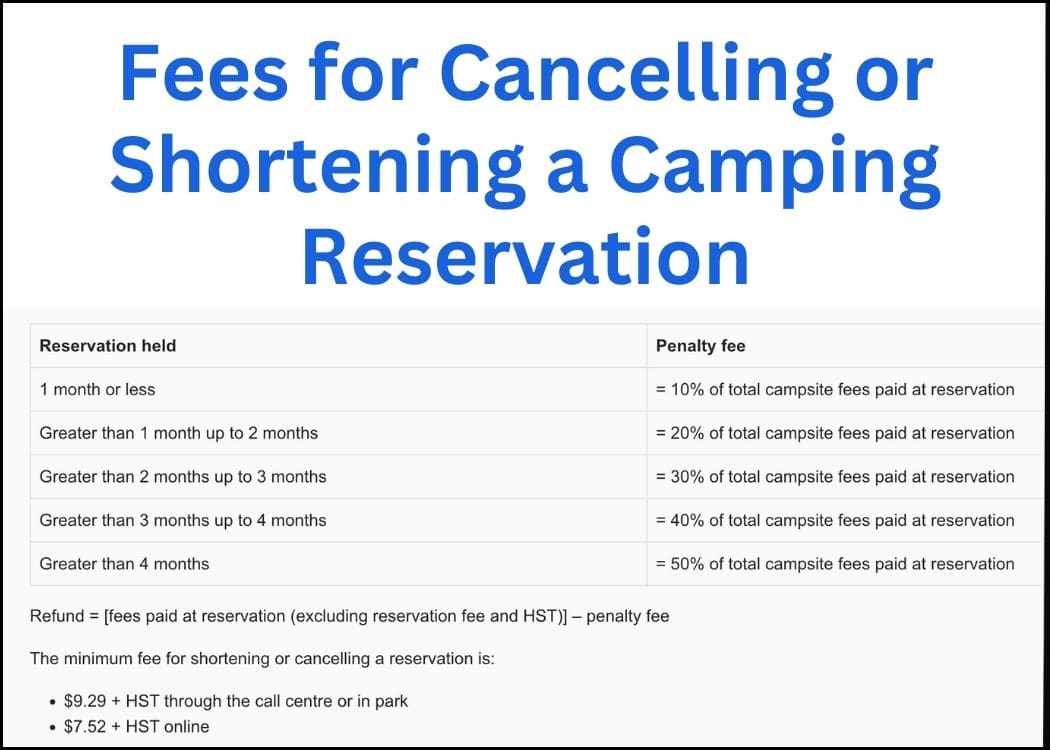
** Please note, that these fees apply only to regular campsites and roofed accommodations. For backcountry or seasonal sites please head to the website for further details https://www.ontarioparks.ca/reservations/penalties. **
Additional fees
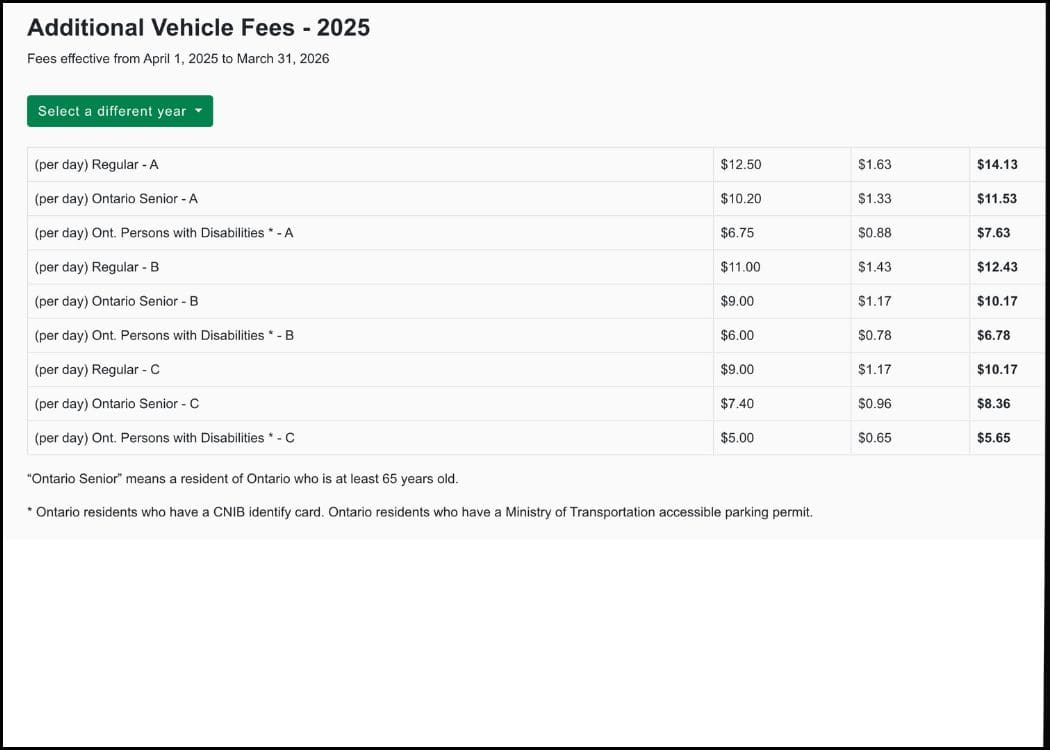
One last fee that I want to mention is the Additional Vehicle Fee.
When you book a campsite, one vehicle is automatically included in your reservation.
If you have a second vehicle that will be parked on the campsite or in the nearby overflow lots, you will need to register that vehicle separately.
For example, our older son and “granddog” travel separately when camping with us, as Guinness is a pretty big dog.
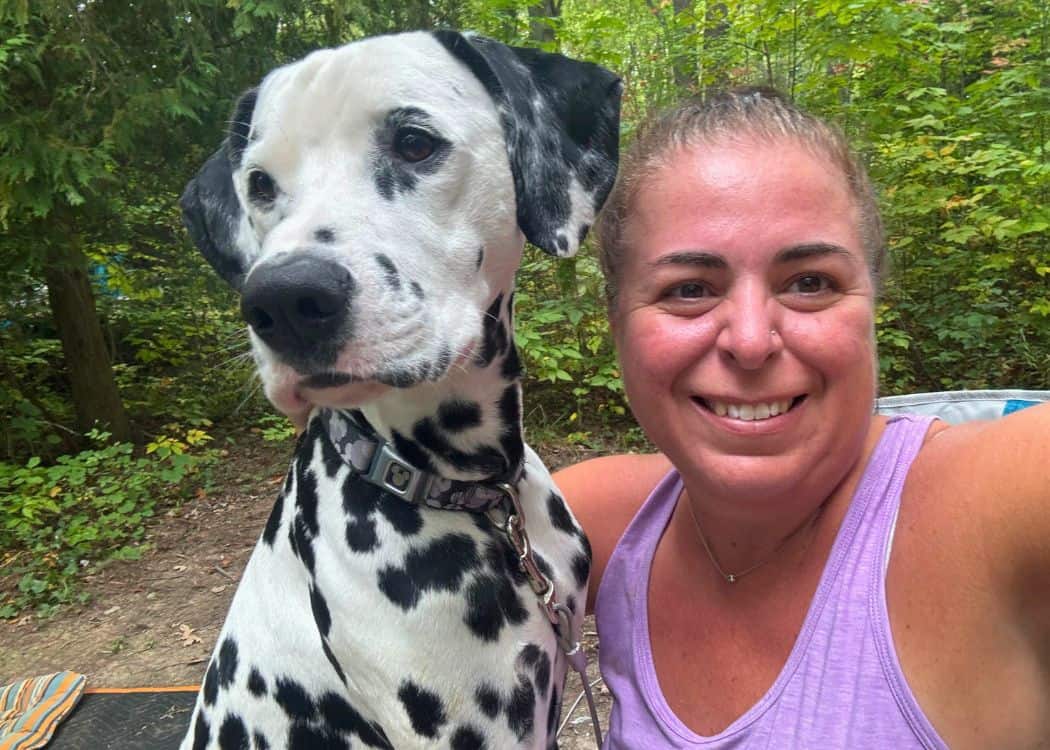
We make sure that my son is a registered party at our campsite during the booking process.
But when they arrive at the park gate, they just need to let the staff know which site they are camping on, and then pay for an additional parking pass.
For most sites, the fee is $14.13 (tax included) per day.
Modifying or Cancelling Your Reservation
You can make changes to your camping reservations online through your account, or over the phone at 1-888-668-PARK (7275).
For the online option, just log into your account, head to “My Reservations” and find the reservation that you want to change or cancel.
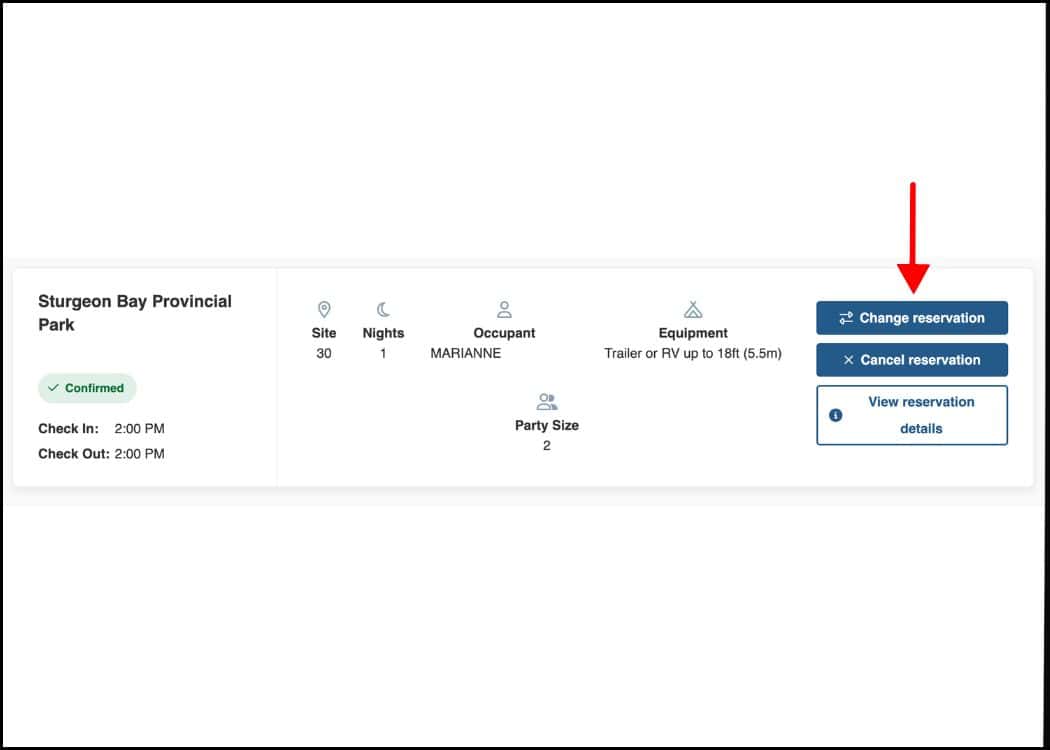
On the right side of the reservation, you will notice 2 blue buttons labelled “Change Reservation” and “Cancel Reservation.”
Just keep in mind that reservations cannot be changed or cancelled more than four months in advance of your arrival day.
Modifications
If you are within that four-month time frame, and you are looking to make a change, a screen will pop up with available dates for your park.
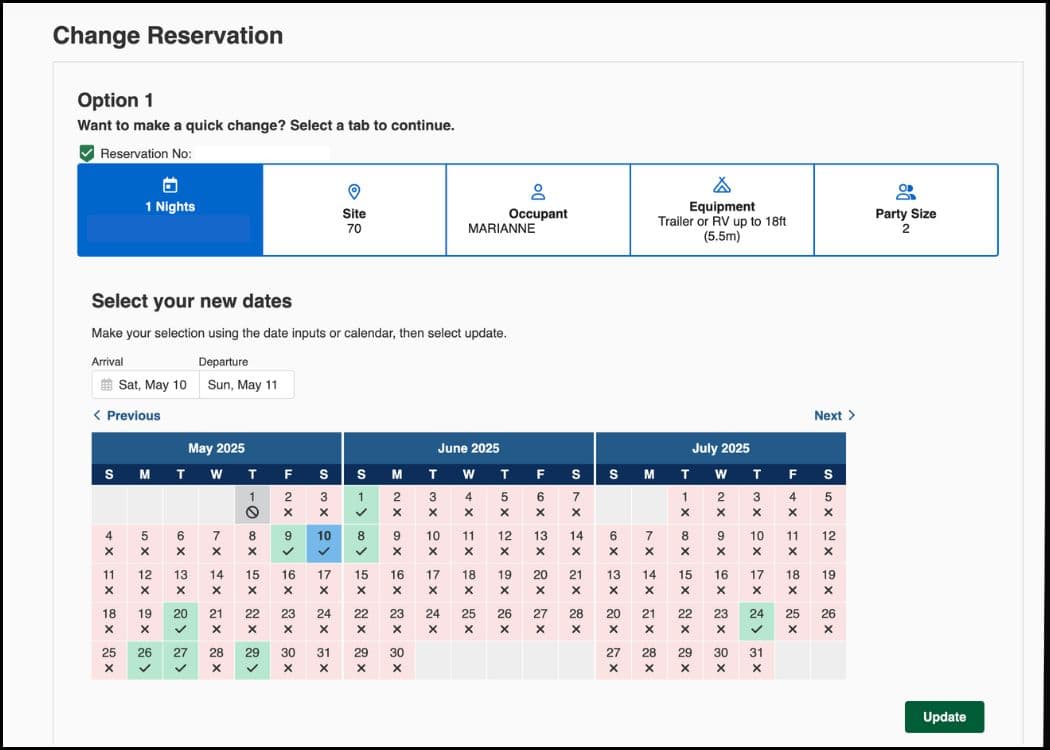
Make your selections and hit submit. You will get a confirmation of your changes as well as the fees associated.
You will then be taken to a billing page similar to the one where you made the initial reservation.
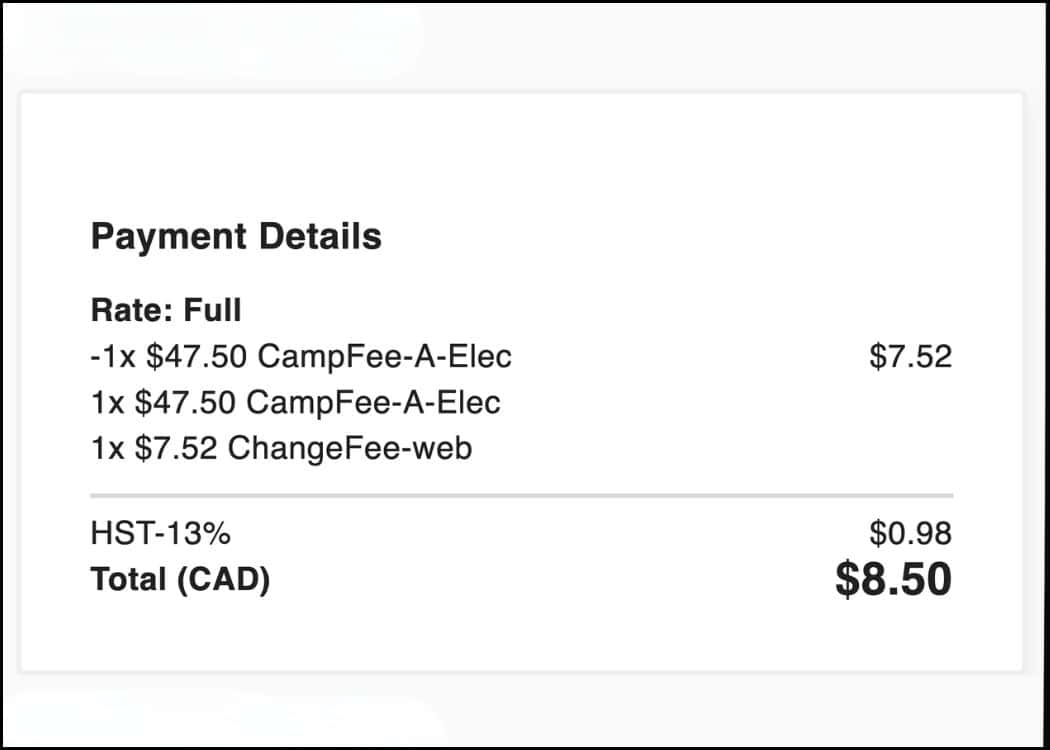
Last year, John and I had something come up, and we needed to change our weekend camping reservation. We ended up just switching the dates (the same site was available).
We paid $8.50 to make the change, which was better than losing 50% of the booking cost, as it was a last-minute change.
If for some reason you cannot make your camping dates altogether (but don’t want to lose money), you can also transfer your reservation to someone else.
To do this you will need the details of the new permit holder, such as their full name, address, phone number, and email address.
Next, go into your reservations and click on the reservation you want to change.
Be sure to select “Change Reservation” NOT “Cancel Reservation”.
Select “Occupant” at the top, and “Someone else will be the occupant” at the bottom.
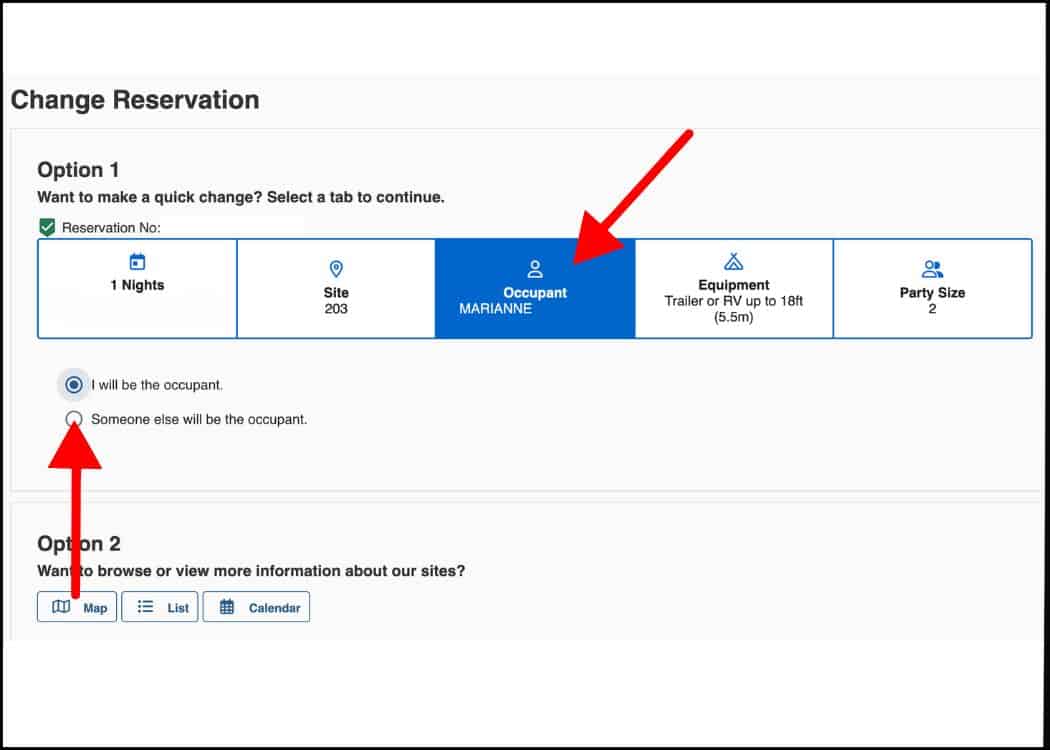
A dropdown menu will appear asking you for all the information of the new occupant.
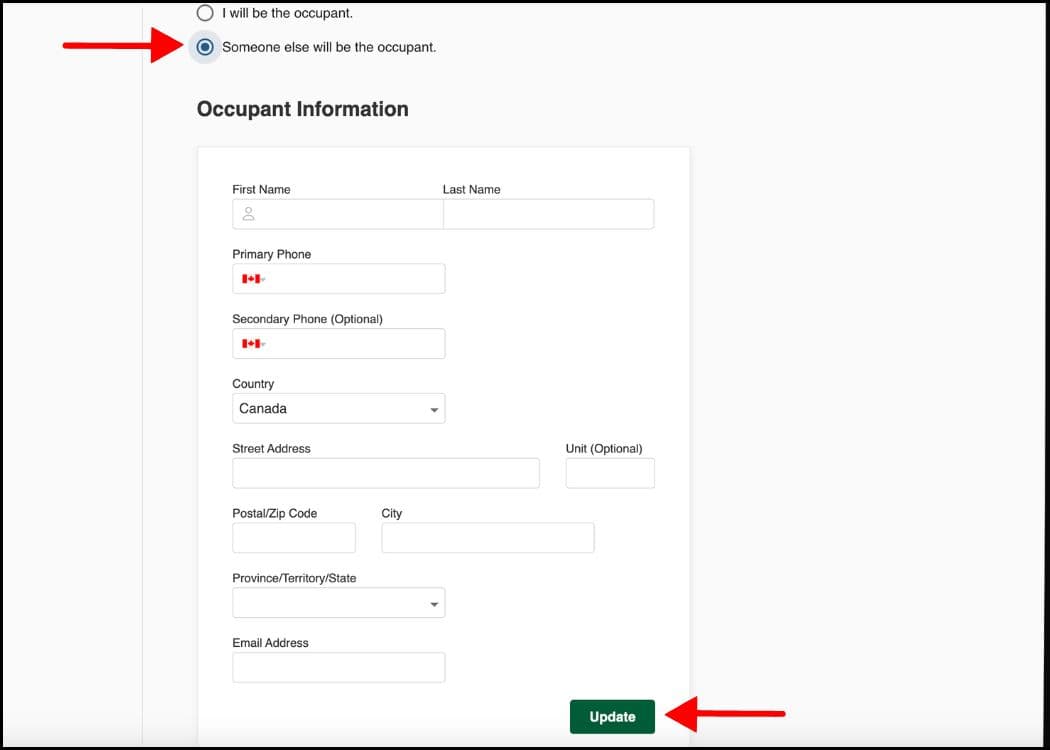
When the transaction is completed, the new occupant will be emailed a copy of the reservation in their name from Ontario Parks.
Keep in mind that a service fee will apply for the change (see above photo). This fee will be charged to the same credit card that the original reservation was made under.
**Please note – The reservation will remain in the original owner’s account. The person to whom the reservation was transferred to is considered the site occupant.**
⚠️ The selling of Ontario Parks reservations for profit is not allowed.
Cancellations
If you choose to cancel your reservation, you will be taken to a confirmation page.
You will then be taken to a refund page which breaks down how much money you will be getting back.
Refunds will be applied back to the same credit card used to make your reservation and should appear back in your account in 5-10 business days.
Final Tips and Recommendations
Book Early!
As soon as you can book your campsite (meaning the day when bookings open), DO IT!
As much as it may seem odd to be thinking about camping in December, this is when John and I sit down to roughly plan our summer trips.
Since we usually take our camper out of storage in May, we have no choice but to plan this far in advance since booking starts in December.
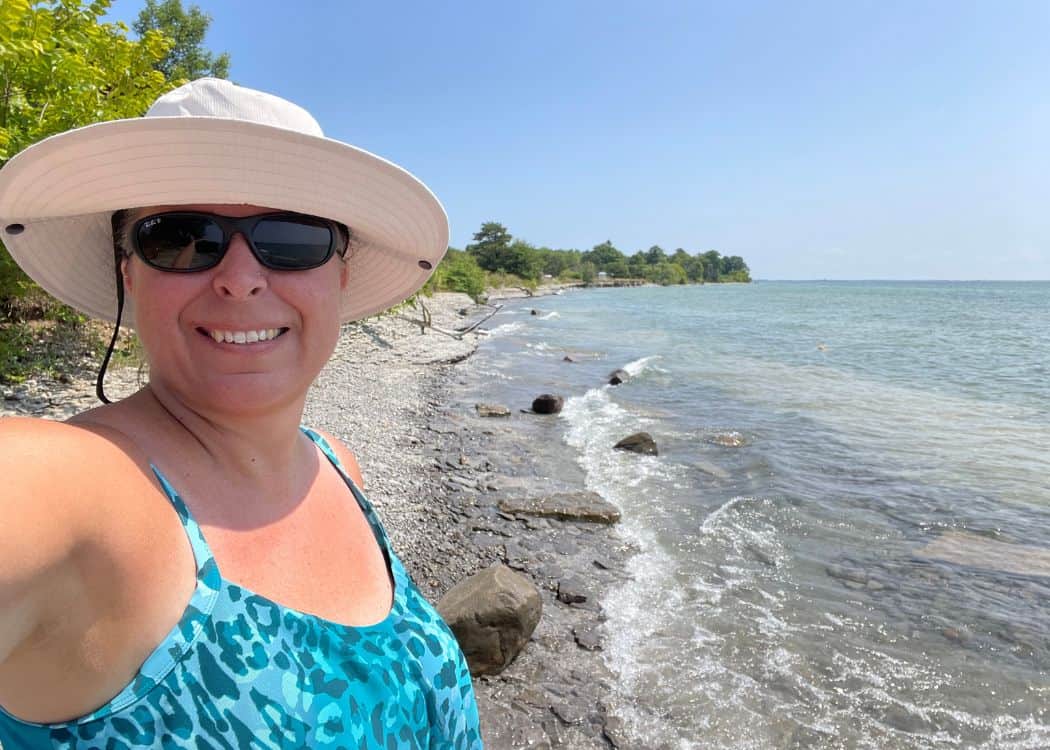
Anyway, my point is to make sure that you are organized!
Know when you need to make your reservations, make a note of it on your calendar, and mentally prepare for the endless early morning booking sessions.
Don’t procrastinate!
Don’t Be Afraid to Book Less Popular Parks
Less popular does NOT mean less nice! Many of the Northern Ontario Parks are gorgeous.
While we haven’t officially camped in any northern parks, we did hike in quite a few of them during a northern Ontario road trip that we did several years ago.
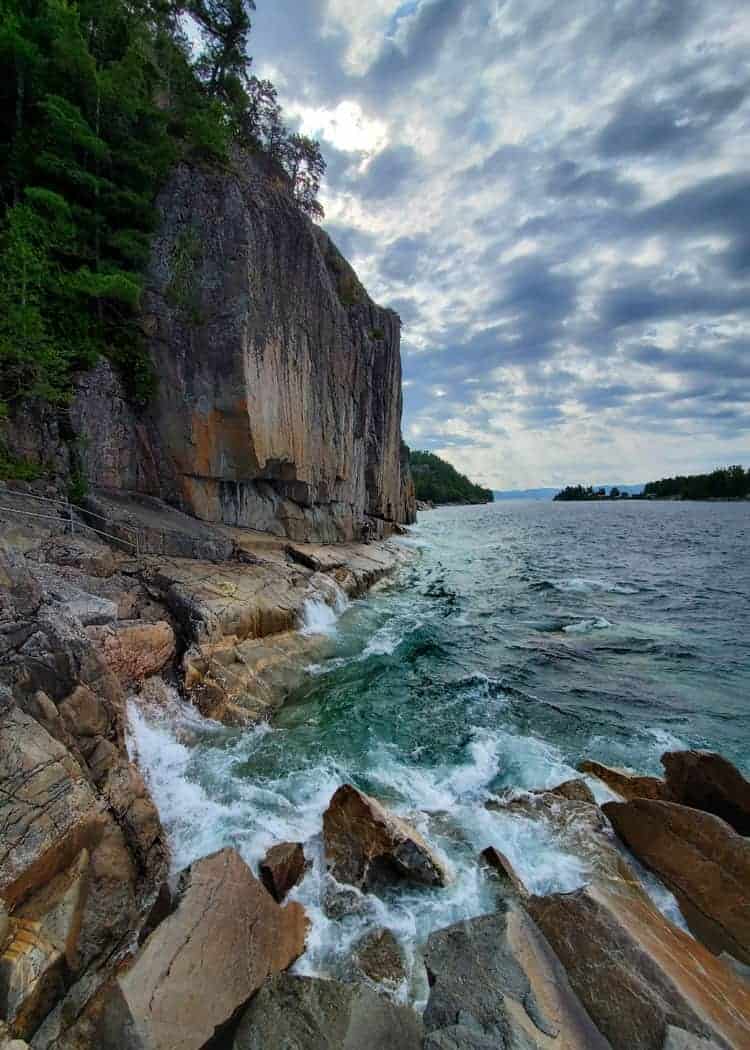
Because they require a longer drive from major cities, many of these parks are less popular!
Use this to your advantage!
Also, many of the smaller northern parks are just lesser-known – people haven’t heard of them.
They may not have as many amenities as larger parks, but that doesn’t mean that they aren’t awesome.
Be Flexible
As I mentioned earlier, always have a backup plan. Having a little bit of flexibility in your plans will make things a little less stressful.
I have had to revise many of our plans for the coming season, but we are making it work.
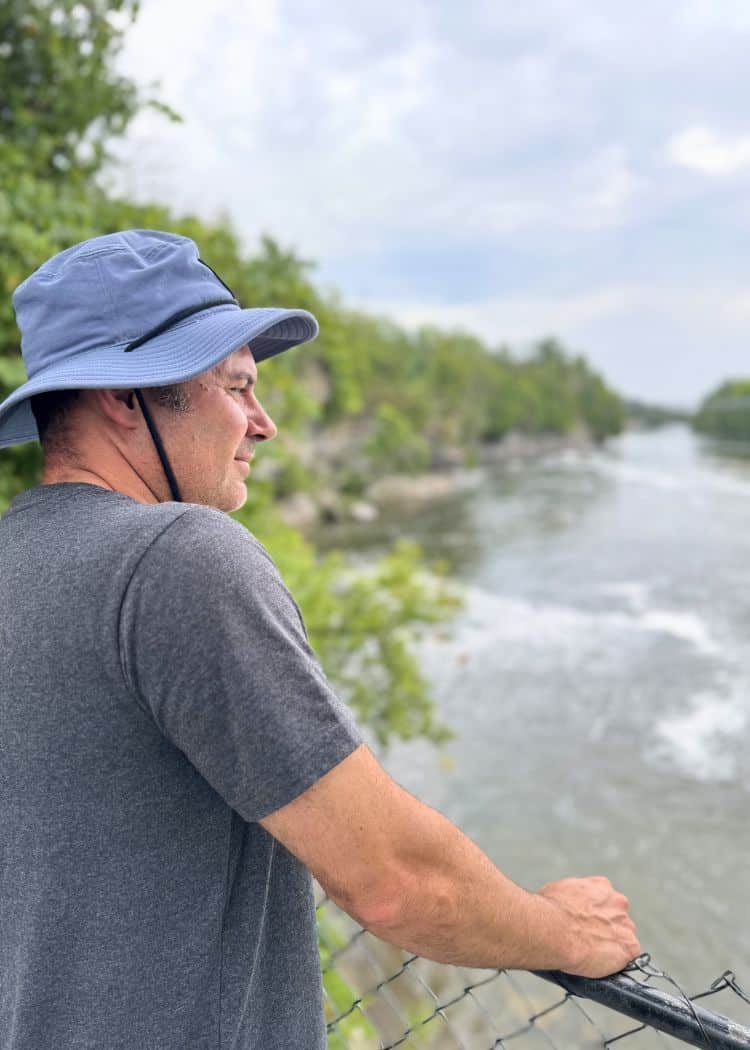
At the end of the day, there are very few Ontario Parks that we do not like. This means that wherever we end up, we know that we will have a fabulous time!
How to Book an Ontario Provincial Parks Campsite – FAQs
At most parks, you can stay up to 23 consecutive nights at one campsite. Some of the popular parks only allow a 7 or 14 day maximum.
Yes, you can transfer your reservation to someone else. You are not allowed to sell your reservation for profit.
Backcountry sites are booked online through the Ontario Parks reservation system, just like regular campsites.
You can call Ontario Parks Reservation Support at 1-888-668-7275.
Yes, some popular parks require day-use reservations to manage crowd sizes. You can book your day-use permit through the Ontario Parks reservation website.
Final Thoughts
There you have it!
At this point, you should be a pro at navigating the Ontario Parks booking system.
Just remember, that booking your campsite early is key.
And as we mentioned, don’t stress if your first choice isn’t available—Ontario has many amazing parks worth exploring.
Pin This Post for Later!
Related Posts:
- Common RV Terminology and Slang for Newbie Teardrop Owners
- 150+ Fun and Unique Camper Names for Your Teardrop Trailer or RV
- 10 Top Reasons Why Teardrop Trailer Camping is Better Than a Tent
- What is a Teardrop Trailer and Are They Right for You?
- Does a Teardrop Trailer with a Bathroom Really Exist?
- What is Boondocking? A Complete Guide for Beginners
- What License is Needed to Drive an RV in Ontario
- Teardrop Trailer Campground Etiquette That You Need to Know
- Top 10 Things You Really Should Know BEFORE Buying A Teardrop Trailer
- Camping During a Fire Ban: What You Need to Know
- Complete Guide to Halloween Events at Ontario Parks
- The nuCamp Haven 220 – Is This Our Next Trailer?
- Is Winter Camping in a Teardrop Trailer Possible?
- The Best 5 Dog Beaches in Ontario Provincial Parks
- 10 Practical Ways to Use Your Teardrop Trailer
- What We Actually Eat on Camping Trips (No Complicated Recipes)
- The Camping Pantry Staples We Never Leave Home Without
- What the New Ontario Parks Alcohol Rules Mean for Campers
